The Samsung Galaxy Surfboard, as seen in the video, features an LED screen, which is powered by a Samsung Galaxy S7 smartphone stored inside the surfboard itself. In the video, Brazilian surfer Gabriel Medina is seen surfing in some hefty conditions and he uses the LED screen on the Galaxy Surfboard to deliver messages.
While all this seem a bit pointless, the LED on the surfboard is actually pretty useful. It provides live feed of the water conditions. It will show the wave quality, weather condition and wind direction. It can also help newbies surf easily. It’s like a smart surfboard. But is Samsung gone to far with this? Adding connectivity to a freakin’ surfboard?
No statements can be made about this until the actual product has been released. Well, let’s sit back and see what happen.
Samsung Galaxy C Series Price And Specifications Leaked
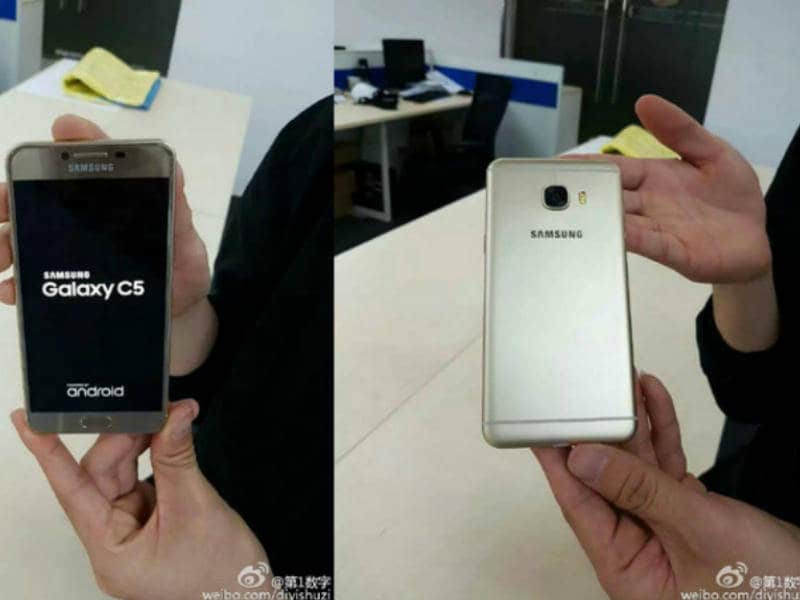
Samsung is rumored to currently working on their new C series smartphones. After the huge success of A series mid-range priced smartphones, Samsung is planning to build their new C series smartphones. Galaxy C7 and Galaxy C5 most probably are the names of new C series smartphones from Samsung.
Galaxy C5 is rumored to cost around $245 while the Galaxy C7 will cost $275. Through Andriod Headline Reports, it has been said that both smartphone will have dual Sim Support, metal uni-body and 6mm to 7mm thickness. However, with those mid range specifications, Samsung introduced Samsung Ultra High Quality Audio in both smartphones.
The Galaxy C5 will have 5.2 inches full HD (1080×1920 pixels) display and the Galaxy C7 will have 5.7 inches full HD (1080x 1920) display. Both smartphones will have same specifications, the C7 will just be bigger.
Both smartphones will run on 64-bit Snapdragon 617 Octa-core processor having 4GB RAM. According to reports, Galaxy C5 and C7 will have internal storage of 32 GB or maybe more. They will be available in the market in Silver, Gold, Pink and Gray colors. Talking about the camera, both smartphones will have 16 mega-pixel back and 8 megapixel front camera.
According to reports, unlike previous Samsung Galaxy models, the Galaxy C5 and C7 will be selling online only.
Watches have always been a part of the “Fashion” scheme, don’t take me wrong, who doesn’t like watches. Since the old days, which I don’t wanna recall, we had simple watches that only used to tell the time. Basically, I used to think of them the “small brother” of the larger clocks in the early 2000s. Watches since then got more premium, more expensive while doing the same task, but recently, we got to hear a term being called “smartwatches”. These days, almost every well known smartphone manufacturer has jumped in to show off their smart watches, this includes Huawei’s Honor Band Z1, which we are reviewing today! Its a simplistic watch that won’t cost everyone their kidneys. So what if I slap my money, is it worth it? Let’s find out, shall we?
Okay mate, what do I get in the box?
In the box you’ll get some manuals and safety guides, a USB charger, an extra replacement for your wristband and lastly the watch itself!
Ok so it tell’s the time, what else?
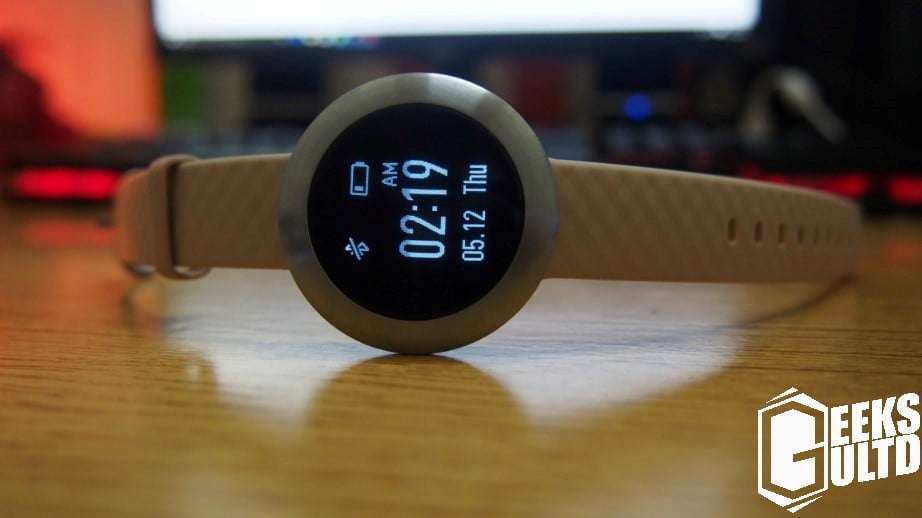
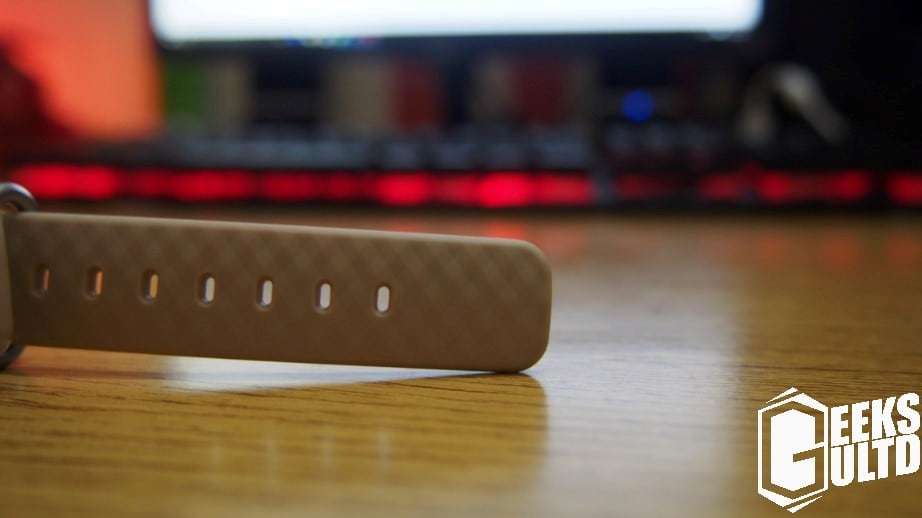
The design of the Huawei Honor Band Z1 is no slouch, its lightweight, has brushed steel for construction and a comfortable wrist band. Overall the size of the watch is very minimal. In my opinion I agree with calling it the barebones watch. To be honest, it isn’t Android Wear but I don’t mind it at all! It tells the time on a simple PMOLED screen, gives you notifications, tracks your fitness and what else do you need? Huawei also added some visual eyecandy which looks very good!
I have been using the watch for a week now and it has been a good companion, sure, sometimes you don’t get the WOW factor, but yeah its totally functional for a fraction the price of the Android Wear watches in the first place. Though, many would like to point out the heath rate sensor being knocked off this watch. To most people, they don’t even care about it! Sometimes, having something simplistic really satisfies me.
Ok so how does this thing work?
The walkthrough is pretty self explanatory, its touch enabled and can also be navigated with gestures.
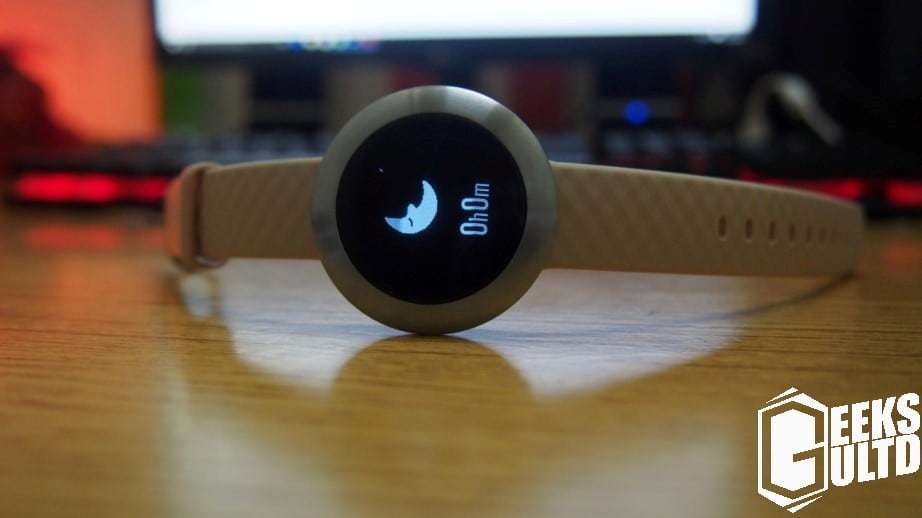
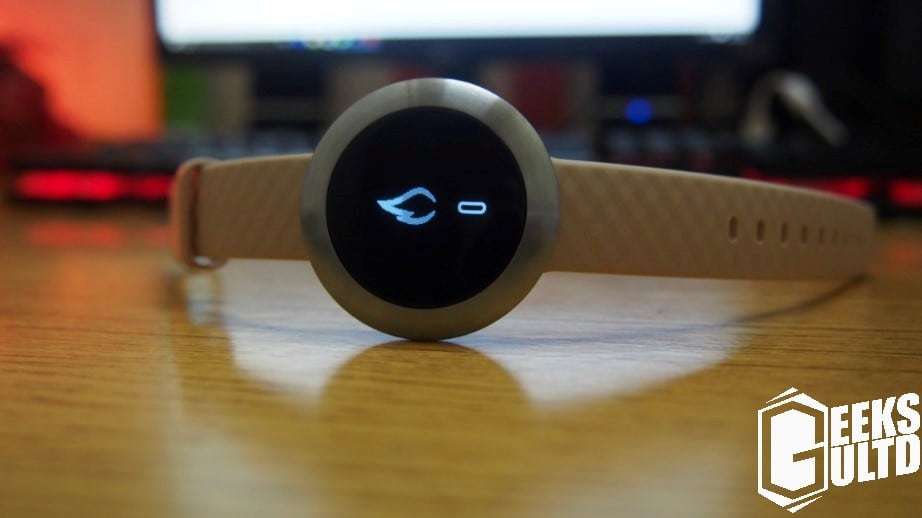
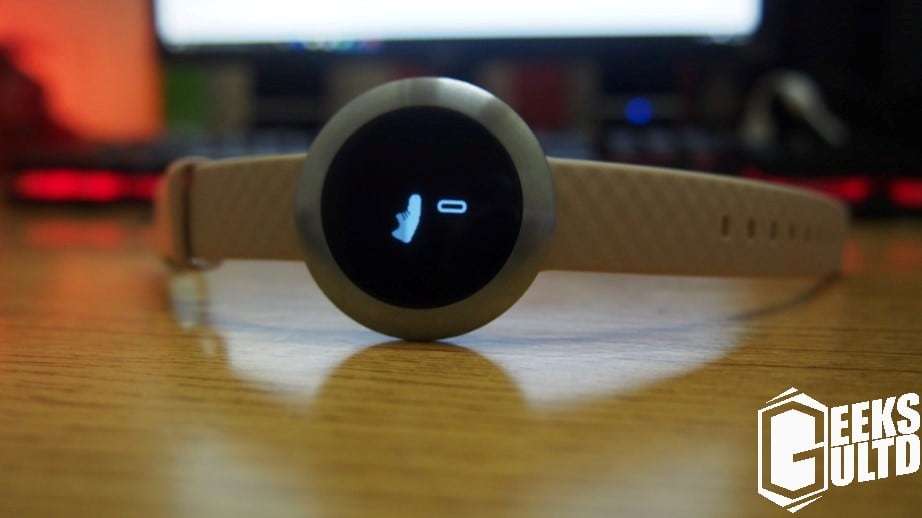
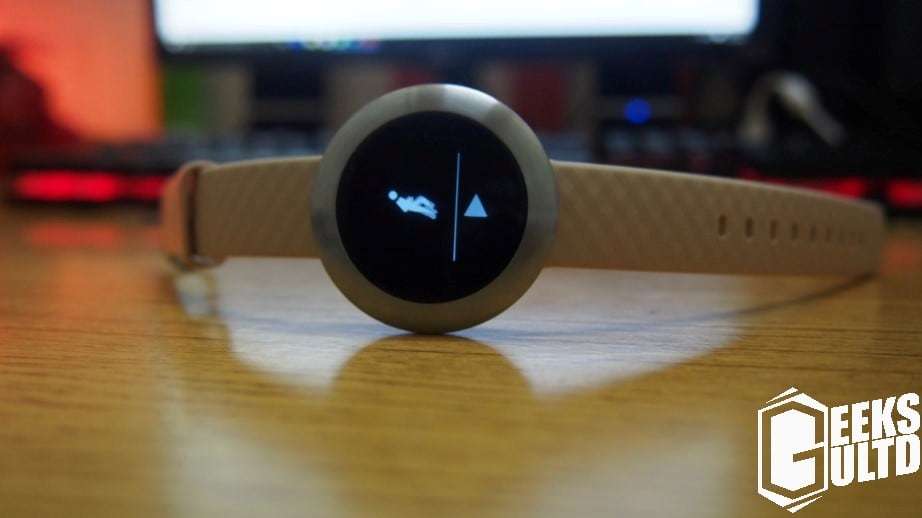
Here the watch will tell you how much time you’ve slept. On the app, you could view the amount of deep sleep you’ve got!Here its showing how many calories have been burnt!Here the watch counts how many steps you’ve takenHere you could set the watch to record a specific time period to monitor you health
So to setup the Honor Band Z1, simply get your phone and install the Huawei Wear app from the Play Store, from there it’ll try to search for your Band Z1,once found pair them and done! You’ll get full statistics from your watch to your tablet or smartphone.
How was my Experience?
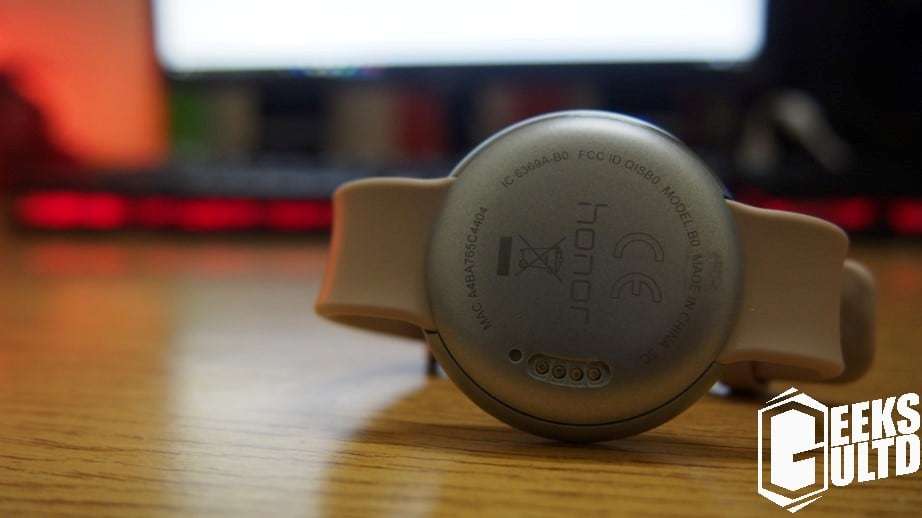
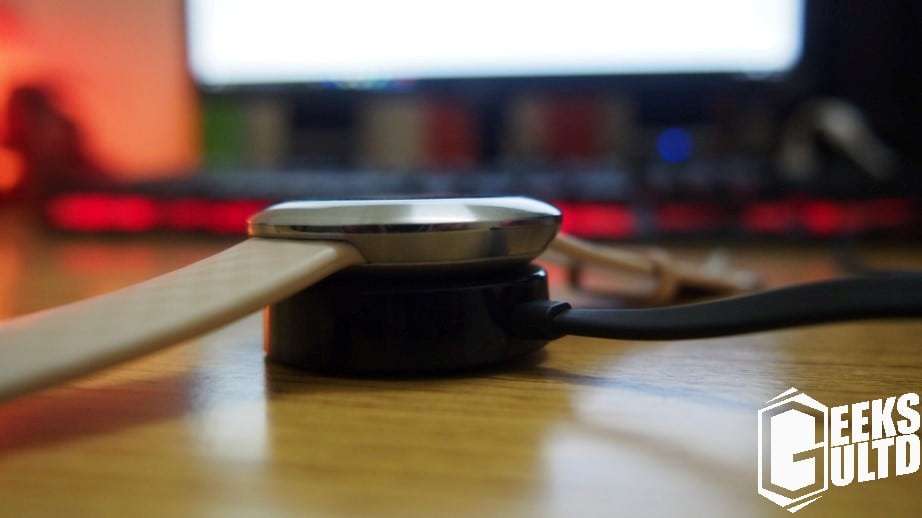
Well this review was short! Its such a simplistic device. Well, to be honest I was happy, it’s such a light device that I even forget to check it. It comes with a magnetic charger which sticks to it. OOne thing I really love is the cable, yeah its flat. This may be a positive for many.
Here it is juicing up on Mirinda! Okay that was lame!
I may not be a busy man looking at my watch every other second, but the watch really serves well and gives me an overall view of my health. The battery life lasts me a 2 days at most, though I noticed, constantly keeping the screen on decreases its battery much more faster. While exploring it for 15 minutes the battery dropped 10%. Though, looking at it just generally lasted me 2 days most of the time. Think about it, for RM259/$60US, you’re getting a watch that has solid build quality and a good finish, thiugh, the only downside I found was the battery life, I think Huawei needs to improve there! In my opinion its totally worth it. It does most of what Android Wear watches do, but at a fraction of their cost! Simply marvellous!
OnePlus 3 Leaked Pictures Show the Phone In Its Full Glory
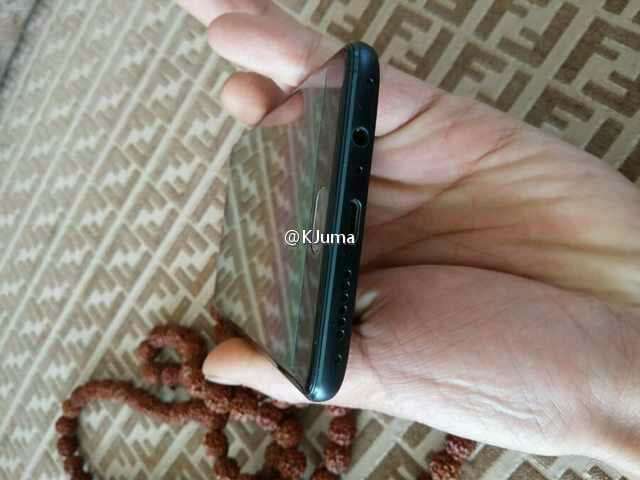
Earlier today, some leaked photos of the upcoming OnePlus 3 smartphone have emerged on the Internet. The photos allegedly show some real looks of the OnePlus 3.
Taking a look at the photos, the OnePlus 3 is going to feature USB Type-C and include a 3.5mm headphone jack.
On the front, we can see a front-camera and a home button, which is probably accomanied by some touch-buttons.
On the back, we can see the camera with the flash. This confirms that this phone isn’t going to feature dual-cameras. The camera prostrates from the body, like the Galaxy S6.
On the bottom, we can see a 3.5mm headphone jack, speaker output and a USB Type-C port along with a microphone opening.
Taking a look at the left side of the phone, we see nothing special. The phone is pretty slim and looks good. It does have a button-like thing on the left-side, which maybe a SIM slot or a microSD slot.
On the top, we have nothing, just smooth surface.
What’re your thoughts on the phone? What do you think? Does it look good enough to take the crown?
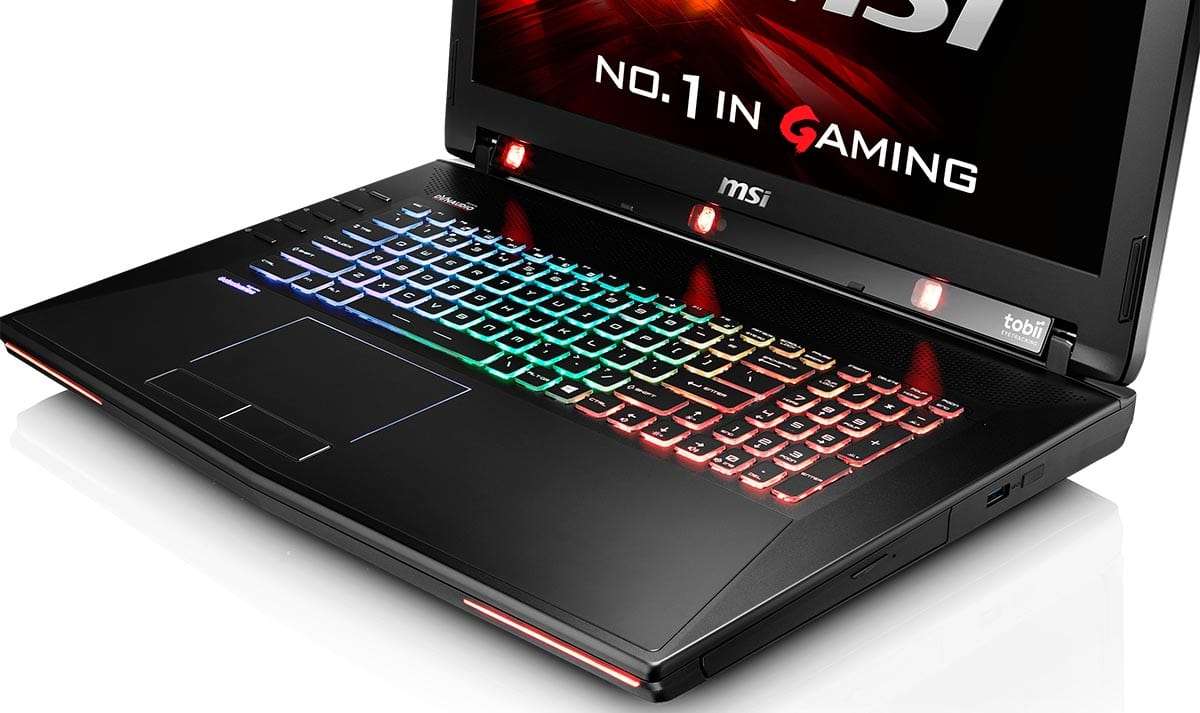
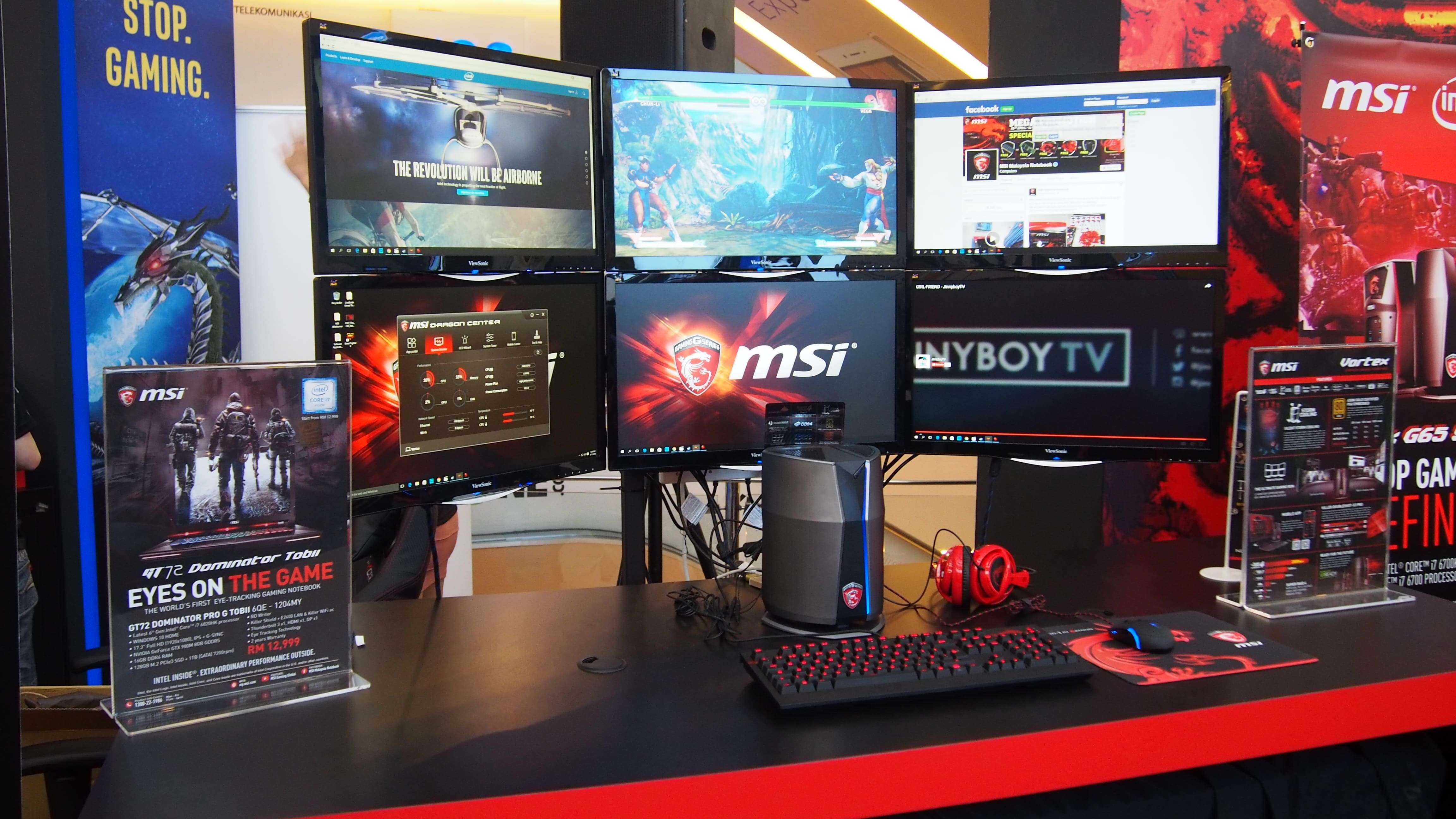
Wow today was a great day for gamers. MSI invited us to have a look at their Vortex G65 and GT72 Tobii which is the first laptop to have eye tracking. Amazingly enough, being my first time looking at the MSI Vortex G65, I was shocked how small it is. Yeah sure many people have seen it before, but I sure under-estimated the size of it. To see it in person running 6 displays at once was another eye catching feature to me. Sure I ain’t the kid with millions in the bank but I was impressed how far manufacturers go to set themselves apart, especially in the PC hardware market. Truly in my opinion manufacturers like Asus and MSI are doing everything to push to the highest. MSI still claims them as No.1 in Gaming in which my opinion I don’t doubt at all, but Asus’s GX700 is no blunder either. Well they did try to roast Aliens and Predators at their event, well that fanboysim should stay there.
Source: TechGage! Sorry we didn’t get a picture of the Tobii GT72 personally!
Next up, the also had the GT72 Tobii which in my opinion was nonetheless the star of the show. They had a demo in which they showed how the Eye-Tracking works. According to them, currently there are 15 games that support this feature, such as The Division, Assassins Creed and more. They also hope that they’ll get more games to support this feature in games in the future but as of now, they already have a great list of games, not to mention all the Ubisoft praising MSI did at the event! Anyways, for the specs of the GT72 Tobii.
This is a heck of a beast laptop!
As of what they showed us at the demo, the GT72 uses three cameras to track your eyes and head movement. Though at first glance I was confused about the implementation about this feature, but they showed us that by looking to the right, left or wherever you will also look in that direction, a bit like VR. Moreover, this doesn’t mean that you are done with your peripherals, you still may need them unless you’re a GAMING GOD! Anyways, I would call it impressive!
Here’s a picture I took to show how it scales in real life with monitors!
Back to the Vortex G65, its truly a marvel. As they say “someone’s screw was loose at MSI”, this was the case here. At first impressions(being a triple fan R9 390 user), how the “Eff” did they cram all that in there? To be honest with you guys you can build a cheaper machine with the same specs, but you couldn’t build a machine with this size. Just to revise the specs, the MSI Vortex G65 comes with Intel’s Core i7 6700k paired with Dual GTX 980s in SLI! As of the RAM and Storage, we are looking at 16GB of DDR4 RAM, a 256GB M.2 PCIe SSD paired with a 1TB HDD.
Lastly, the pricing for Malaysia have been confirmed. The GT72 Tobii will set you back RM12,999 while the MSI Vortex G65 starts from RM11,999 for the GTX 960 SLI configuration or RM18,999 for the Dual GTX 980 configuration. MSI also mentioned that those who pre-order the GT72 Tobii now will get a $50 Steam Gift Card which you could redeem on Steam (obviously).
The Samsung Galaxy Note 6 is going to be the most powerful phone Samsung has ever made. It will be the successor of the Galaxy Note 5, which was also a big success in the market. Evan Blass, the guy behind the @evleaks Twitter account, has revealed some information about the beast of a phablet that Samsung is going to make.
Samsung Galaxy Note 6 US release scheduled for week of August 15th.
According to him, the Samsung Galaxy Note 6 is going to be available in the market by the month of August, 2016. Some other leaks also suggest that the phone is going to be announced in June, 2016. But we don’t know for sure, so take this with a pinch of salt. We’ll know more about the release of the Note 6 as more details come out.
The Samsung Galaxy Note 6 is going to feature the Snapdragon 823 processor along with 6 Gigabytes of RAM! Other flagship phones from Huawei and Samsung itself, the P9 and the Galaxy S7, feature 4 Gigabytes of RAM. While that’s pretty good too, Samsung is going to push the boundaries and give the Note 6 2 extra Gigabytes of RAM.
Talking about the other specs, the Note 6 will feature 5.9″ Quad HD (2560×1440) display with a 12 MP Dual-Pixel camera equipped with IR auto-focus. It’s also gonna feature a badass 4,000 mAh battery. The Note 6 will also have Micro SD card support.
EA, in their recent reports, has revealed that they will be releasing the sequel to Titanfall before the end of this year. According to the schedule, it will release during EA’s fiscal third quarter. This means that it will release around the months of October and December (Late 2016).
The sequel to Battlefield 4, the Battlefield 1 is also going to release around the end of October. EA, when asked about the release of both Battlefield 1 and Titanfall 2 being so close together, their CEO Andrew Wilson said it doesn’t matter.
This is a giant category in our industry, a $4.5 billion category. There’s a very broad and diverse set of players who play games in that category who are looking to fulfill different gameplay motivations. Some people play very quick-play, or something with more strategic play; some people want both in different contexts. — EA CEO Andrew Wilson.
So yeah, we’re going to see 2 big titles from EA at the end of 2016. Battlefield 1 and Titanfall 2 are gonna spice up the gaming industry this year. Titanfall 2 is going to release for PC, PS4 and the Xbox One.
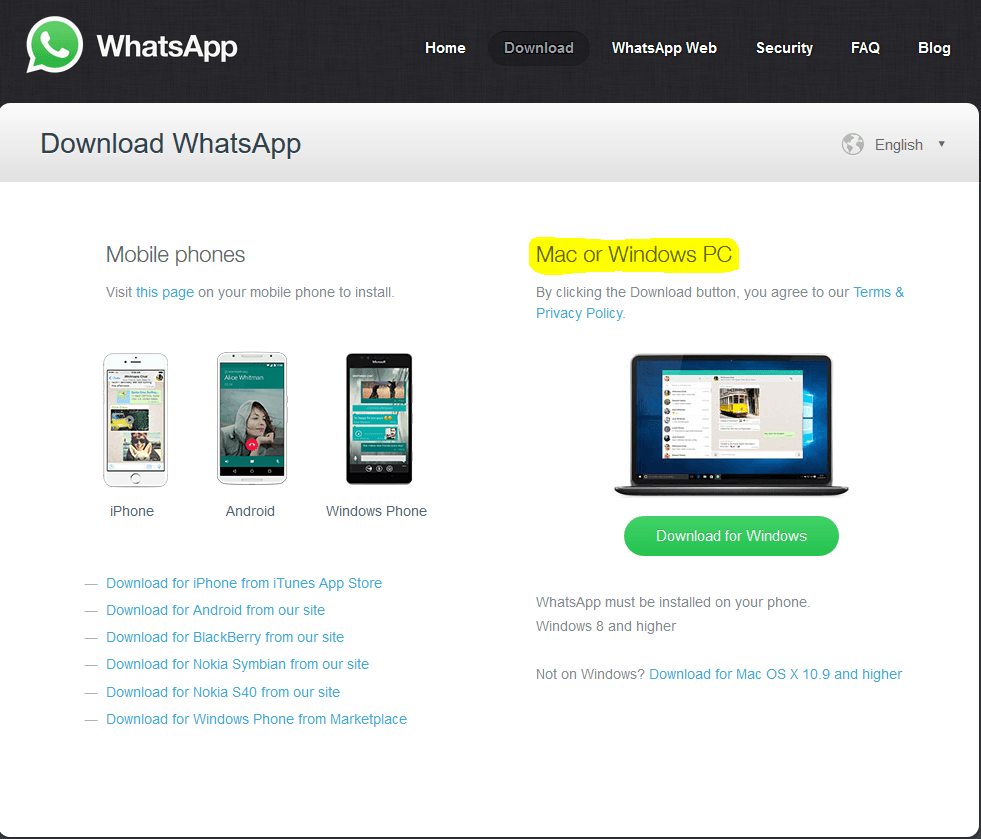
Finally, you can use WhatsApp on your desktop computer now! WhatsApp now has a dedicated app for desktop PCs. Now you can access the world’s biggest messaging service on your desktop. However, to set it up, you’ll need to scan a QR Code using your phone. After doing that, WhatsApp will automatically synchronize your messages across your mobile phone and desktop PC.
This desktop app offer a variety of features, like opening different messages on different windows and using keyboard shortcuts.
The WhatsApp desktop application will work on systems using the following operating systems:
Windows 8.1 or higher.
Mac OS X 10.9 or higher.
You can download the new WhatsApp desktop app from their official website. (Here)
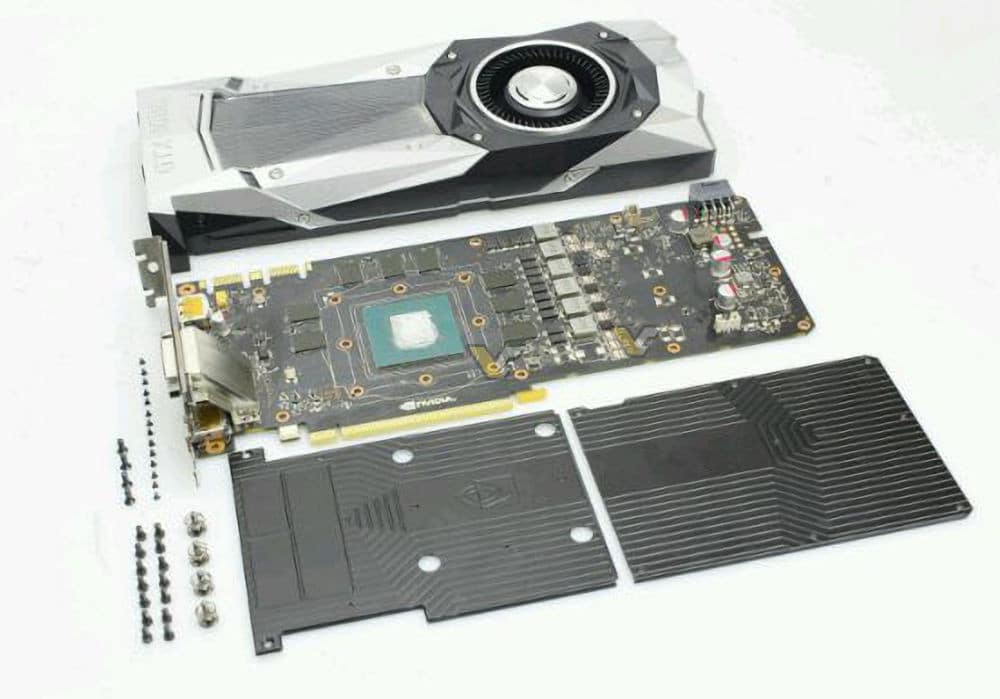
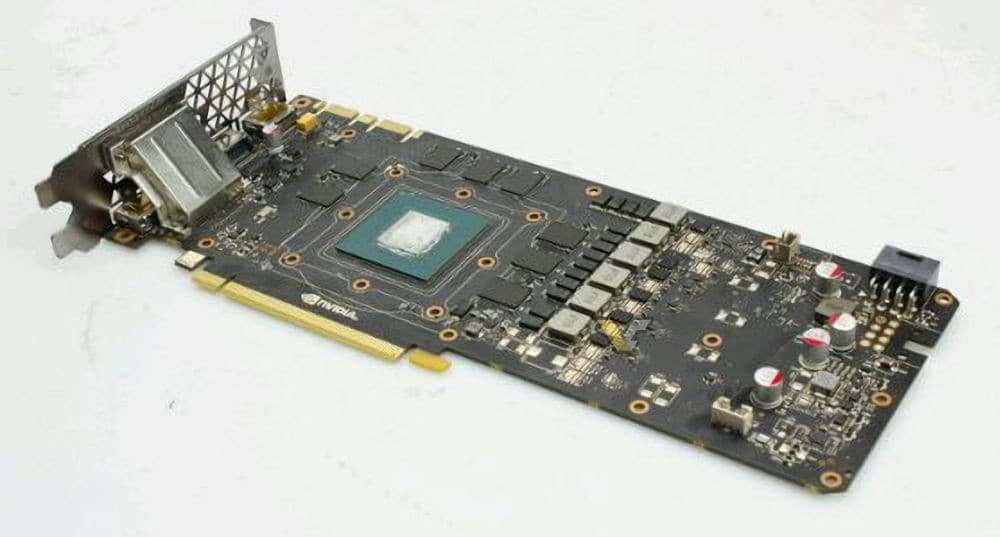
This is How an Nvidia GeForce GTX 1080 Looks Like Without the Cooler
These are the first pictures of the latest GPU from Nvidia, the GTX 1080. Removing the cooler, we see the core of the GPU, which is smaller than the one on the GTX 980. Also, the PCB of the GTX 1080 is less-crowded than its predecessor, the GTX 980.
We also see the 8GB GDDR5X memory chips. The PCB features 6-phase VRM, all of which is powered by a single 8-PIN PCIe power connector.
Also, do note that Nvidia is selling the reference GPUs as “Founders Edition” for $100 more than the non-reference versions. Before making any verdicts on this, we would wait and see what the non-reference Pascal GPUs offer.
MSI has always been among the top names in brands when it comes to gaming. Boy oh boy what dont they have to feed the PC Master Race. They have Gaming Desktops, Motherboards, Desktop GPUs, Gaming Mice/Keyboards, Gaming Laptops and much much more. Today MSI has given us a chance to review their GP62-2QE which is a budget oriented gaming laptop. Me, as a full fledged PC Gamer, ran for the lottery to review my first Gaming Laptop! (Technically it isn’t mine. But what’s the harm in calling it mine?). I was really expecting MSI to cut corners here especially for this form factor and budget. I guess this review will settle the new PC Gamer questions, especially those who are at this budget. Okay, chit chat aside, is it worth it? Let’s find out, shall we?
01| The Design and Build Quality
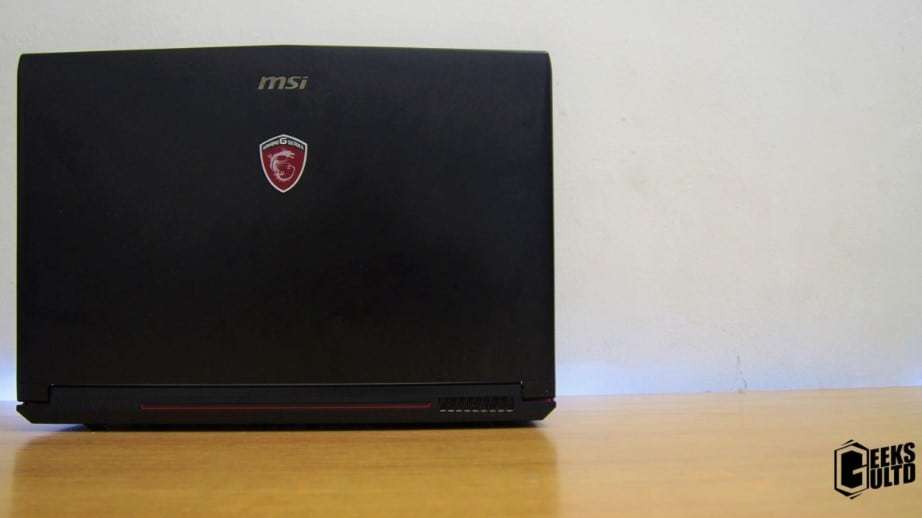
The design of MSI’s GP62 2QE at first glance screams like a Gaming Laptop. As much as it screams the much is compromises. The unit is completely black with red accents. The top of the laptop has is built of plastic which I am in no account to favour it. I simply disliked the back of the screen of this laptop. At first touch it gathered fingerprints like hell. Well that won’t disturb your work overall! Second! this screen flexes a little bit too much. I would have wished for better materials on this laptop.
So those were my two complaints about the build quality. What about the design? Well, the laptop design strikes itself as a gaming laptop. The black and red accents work very well, but that eye-candy stays limited to the outer portion of the laptop which makes me a bit sad! I wish they could have put the portion above the keyboard to use.
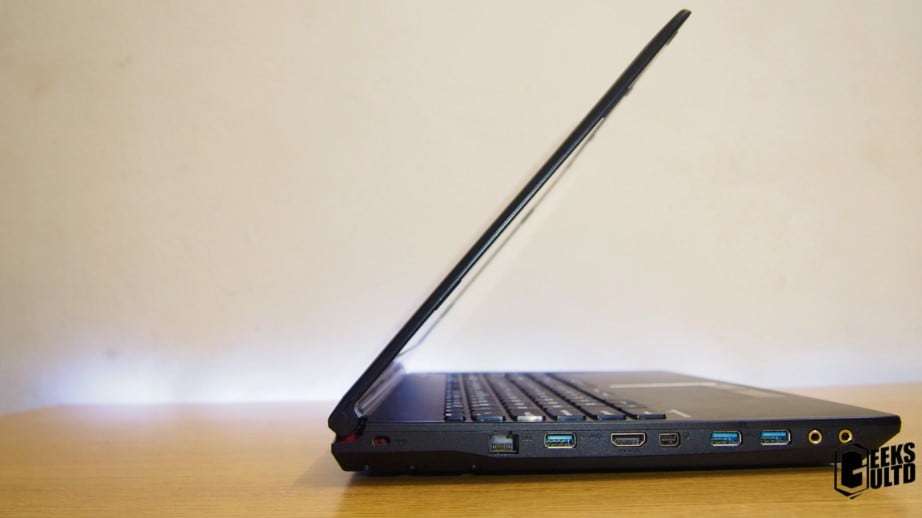
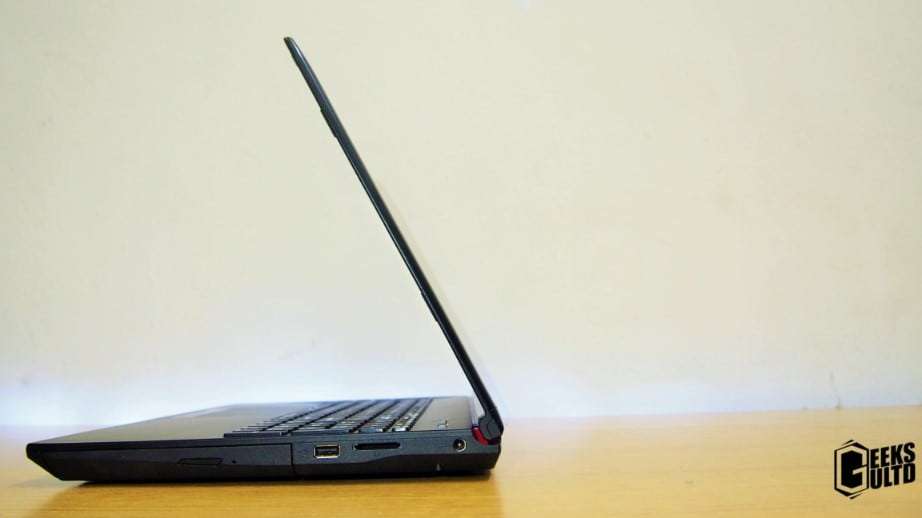
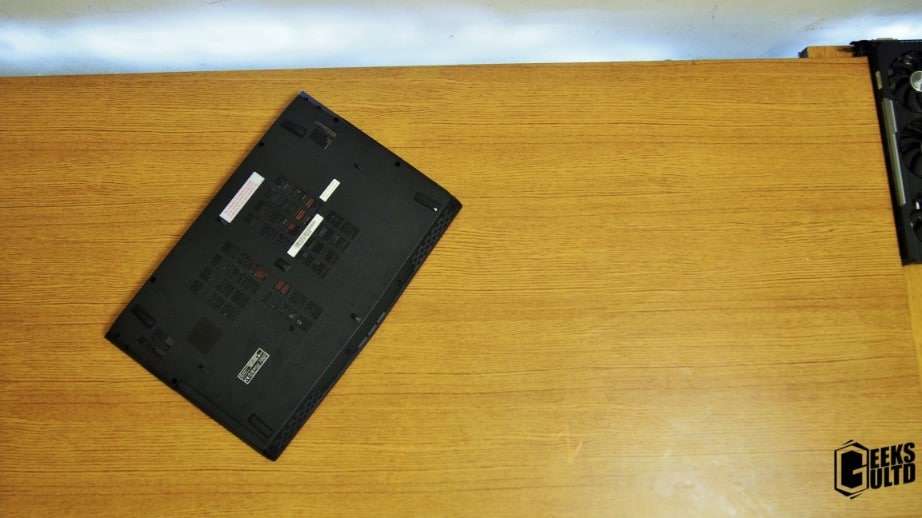
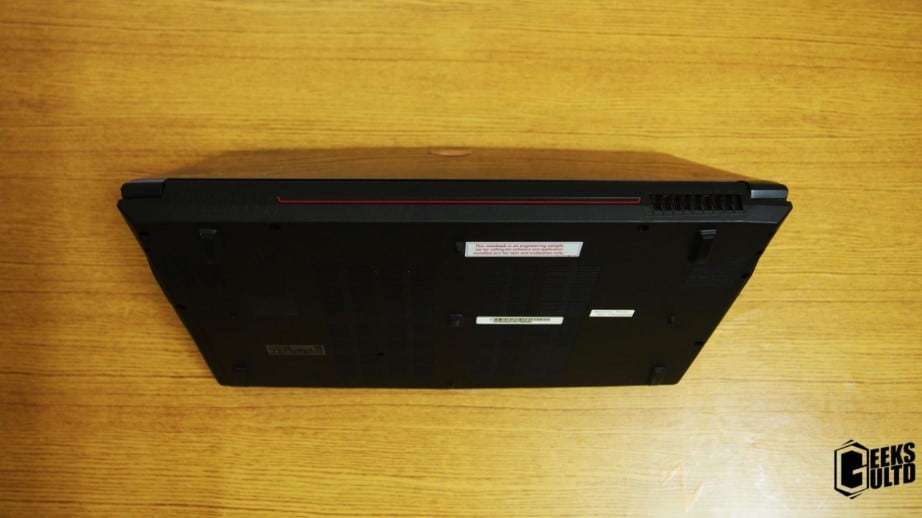
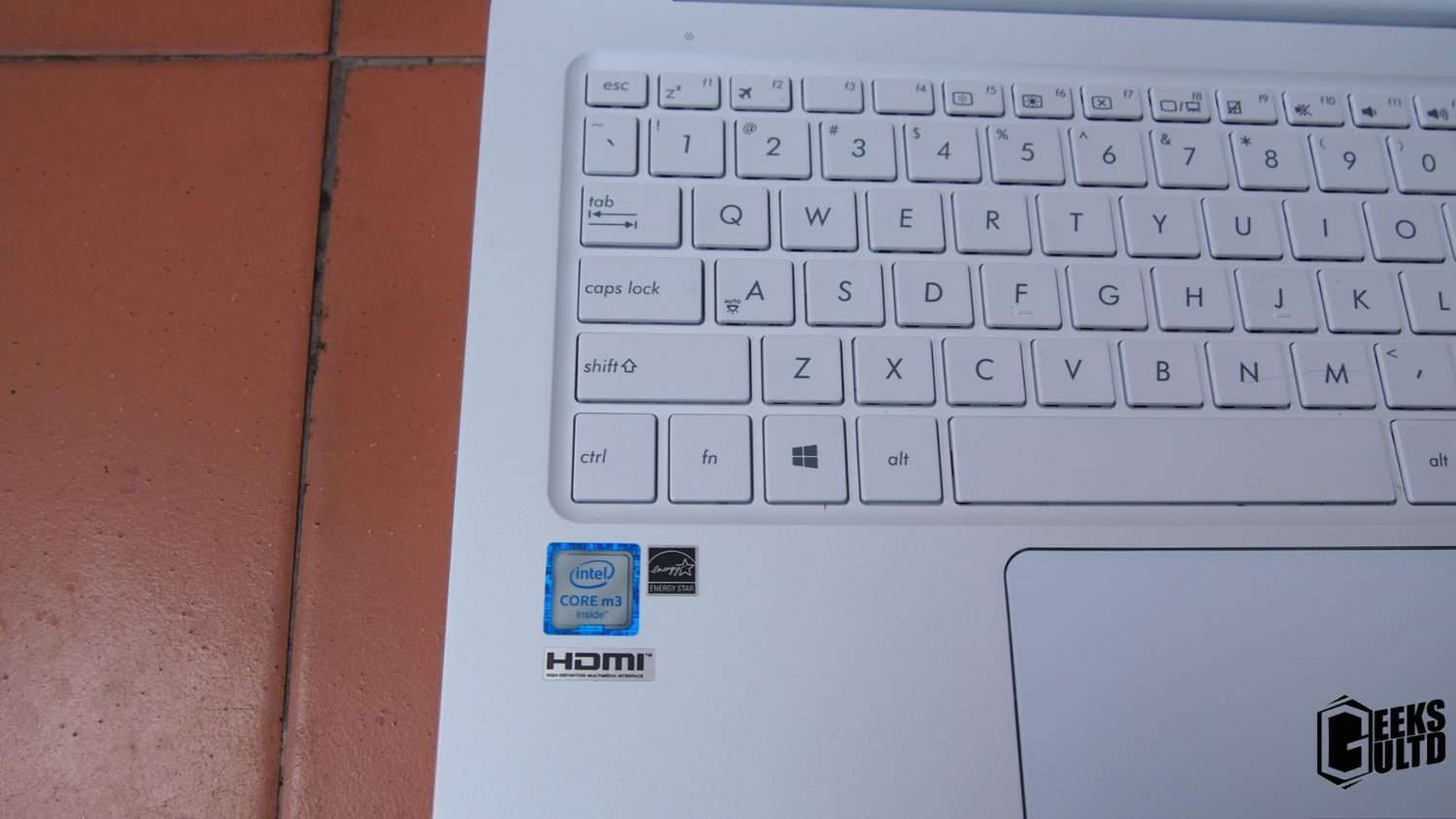
The keyboard and touchpad layout on this keyboard has been implemented just on point I really love what they’ve done here. The touchpad is pushed a bit towards the left side. Those who love the numpad, its here and and fine. At first glance I thought the Steelseries branding and Fnatic stuff is company made up bullshit, but literally, after using the laptop for the first time. I just love it. The spacing is very good and the keys are pretty big as well. The keyboard also has a good push into it which now reset my expectations for a keyboard on a laptop. For the NUM LOCK and CAPS LOCK, MSI has a pinhole around the laptop to notify if they are on or not.Enough praising the keybaord! On the left of the laptop, you’ll find an Ethernet Cable, Full HDMI port, mini Display Port, additional 2x USB 3.0 ports and lastly a headphone and mic jack!On the left of the laptop you’re looking at a Charger Port, SD Card Reader, single USB 2.0 port and a DVD ROM.Underneath of the laptop you’ll find 5 excellent rubber feet which are very effective. Too bad MSI didn’t allow me to have a sneak peek inside the laptop as this is an engineering sample laptop.Here you will find one fan blowing out the air. The red accent seems to spice thing a bit, not much!
Overall I would say MSI has done an excellent job overall with the design of this laptop. Though, I would really like to hate on the cheap flimsy plastic used on the top and bottom of this laptop. So here’s some pros and cons for the build quality & design of this laptop!
EK Full-Cover Water Block for the AMD Radeon Pro Duo Now Available
About EKWB:
Well, if you’re a PC enthusiast, I’m pretty sure you have heard about EK. Almost every custom liquid-cooled PC build uses their product(s). They offer a wide range of products for computer liquid cooling systems.
EK Water Block for the Radeon Pro Duo:
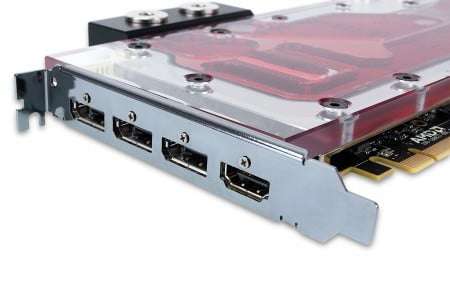
AMD Radeon Pro Duo, currently the fastest graphics card on the planet, is actually already liquid cooled. But EK has created a custom-liquid cooling water block for the Pro Duo, for enhanced cooling, to get the most out of the $1500 card. The water block will fully cover the whole GPU, cooling everything.
To cool the dual-GPU card, this water block uses EK’s central inlet split-flow cooling engine. Adapting the best micro-fin design, this water block ensures the best cooling possible for both of the GPUs.
On top of that, this water block will convert the dual-slot GPU into a single slot card. The fastest GPU on the planet on single-slot form factor! Also, these water blocks are designed specially so they can work with low-power pumps too.
EK-FC Radeon Pro Duo Water Block with Acrylic TopEK-FC Radeon Pro Duo Water Block with POM Acetal Top
The base of the block is made up of nickel-plated electrolytic copper. The top is made up of Acrylic or POM Acetal, depending on the variant you get. The single-slot bracket for the Radeon Pro Duo comes included with the water block.
The Water Block is available on EK Webshop and their trusted re-sellers.
The Acetal + Nickel block will cost you about €160. And for the looks, if you want EK’s custom-designed back plate too, you will have to pay extra €35 to purchase it separately.
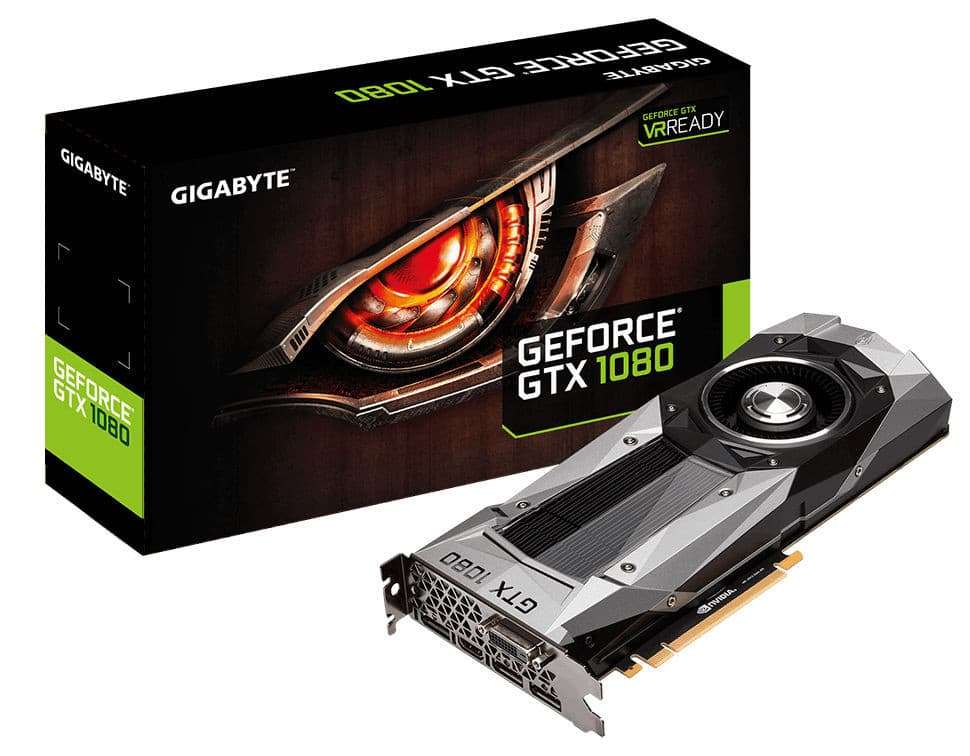
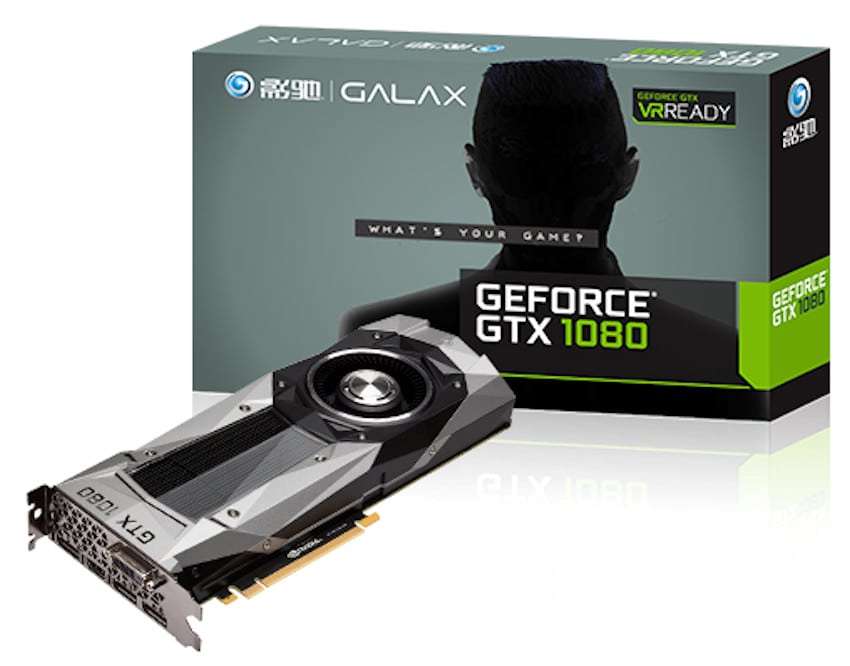
EVGA, Galax, Inno3D and Gigabyte Announce their GTX 1080 “Founders Edition” GPUs
Nvidia recently revealed their Pascal series GPUs, the GTX 1080 and the GTX 1070. Both of these GPUs are amazingly fast, the 1080 being faster than 2 GTX 980s in SLI. So, before these GPUs release in the market, Galax, Inno3D and Gigabyte has signed the contract with Nvidia as the official board partners for the GTX 1080. All these brands have announced their “Founders Edition” GTX 1080 graphics card.
Now you might be thinking, what is this ‘Founders Edition’ GPUs? Well, with the Pascal series, Nvidia have called their “reference” GPUs as “Founders Edition” GPUs, which retail for a $100 more than the non-reference models such as Gigabyte Windforce and EVGA ACX. In simple words, “Founders Edition” is the new name of “Reference” GPUs. The non-reference GTX 1080s will be retailing for $599 while the founders edition cards will hit the market with a price tag of $699. The GTX 1080 will hit the markets on 27th May, 2016.
Is extra $100 for the founders edition worth it?
Long story short, no. The extra $100 you pay for the founders edition GPUs give you no technical advantage over the non-reference GPUs. And astonishingly, the non-reference ones may perform better than the founders edition GPUs, due to aftermarket coolers being used on them. The extra $100 you pay for the founders edition is just for the cool looking reference model, which has no such advantage over the non-reference GPUs.
So I was having my average day on the internet. I stumbled upon a video on Youtube which you could have a look below. The Youtuber swapped the songs on each trailer to see how much of an impact did the music in BF1’s trailer made. Here’s your look at it
Well this was a short article. But it was very interesting. If those of you who call me fanboy! Lemme tell you that I am a die hard fan of BF4! Anyways, let us know what you think about this video in the comments below.
Yesterday, Nvidia revealed their new Pascal series GPUs, the GTX 1080 and the GTX 1070. These two GPUs are surprisingly fast (Nvidia claimed). Without further ado, let’s just cut straight to the chase!
Nvidia GeForce GTX 1080 – The mighty pixel shredder!
The first higher-end GPU is the Nvidia GeForce GTX 1080. This guy has some muscles! With whopping 8 Gigabytes of GDDR5X memory, 9TFLOPS and 2560 CUDA cores, the GTX 1080 is a serious performer. Nvidia claims that the GTX 1080 is around 30% faster than the Titan X (sorry, Titan X owners). While that’s sad for those using 980Tis and Titan Xs, it is a huge leap forward, thanks to the 14nm FinFET architecture. The Titan X does 7TFLOPS, while the 1080 does 9. Holy Cow!
Nvidia even claims that the GTX 1080 is faster than 2 GTX 980s! The older cards are gonna heavily drop in value, that will result in a hefty loss to the owners of Titan X and 980s, who bought them for $1000+ and $500+ respectively.
So yeah, everything is good, but what about the value? The GTX 1080 will cost $600 at launch on 27th May, 2016. The price is pretty good too, considering the performance this GPU has to offer.
About thermals, this GPU reached a maximum of 63C on full load, on stock reference cooler. It’s highly efficient. While it’s TDP is great than the GTX 980, it is still better in thermals and require only one 8-PIN PCIe power connector from the PSU.
Nvidia didn’t talk about the clock speeds, but they did show an overclocked GTX 1080 running at 2.1MHz on core and the GDDR5X memory running at 11GHz! Whoa..
Nvidia GeForce GTX 1070 – The new price/performance king?
The GTX 1070 on the other hand, is also expected to beat the Titan X at a price of $380! It will feature 8GB of GDDR5 VRAM. It will probably be clocked at 7GHz, like the GTX 970/980. But there is no memory segmentation dilemma here, you will get full 8GB VRAM. Looks like Nvidia has learned from their mistakes. The bus size is expected to be 256-bit. The GTX 1070 will do 6.5TFLOPS, very close to the 7TFLOPS of GTX Titan X. The price, as said above, will be $380. The GTX 1070 will hit the markets on June 10th, 2016.
Nvidia Pascal – What else it has to offer?
Well, the treat doesn’t stop here. With Nvidia Pascal, you get some nice technologies too, the best of which is the Nvidia ANSEL. Read more about ANSEL here. Other than that, you get a very efficient GPU which has revolutionary architecture and performance. The 14nm FinFET technology is definitely a game changer.
A close look at the new cooler design:
Taking a look at the cooler, Nvidia hasn’t done much, apart from some styling. The cooler features the standard vapor chamber cooling system with a blower-style fan. This setup is ideal for multi-GPU configurations and compact PC builds. The GPUs also feature a full-cover backplate.
The beast in action:
Nvidia also had some rigs to show-off after the reveal. The rig above features 2 GTX 1080s in SLI. Just look at that SLI bridge! Also, the GPUs are back-plated, and they look great!
Time for some numbers:
Taking a look at the graph above, provided by Nvidia, we can see that the GTX 1080 is on a whole new level. Absolutely demolishing the old Maxwell GPUs, in both performance and thermals.
Well, that’s all we know about the Pascal GPUs until now. More details will be out soon. Desperately waiting for something from AMD too. A competition will definitely spice-up the game.
NVIDIA yesterday revealed their new series of GPUs, which is called Pascal. After revealing the GTX 1070 and the GTX 1080 graphics cards, NVIDIA also revealed their new technology, called ANSEL. The ANSEL technology is basically an in-game camera function, that you can use to freeze your game at any moment and capture photos. Just like the Rockstar Editor in Grand Theft Auto V.
The NVIDIA ANSEL doesn’t only give you that, but it also comes with some more spices. You can capture photos by just one press of the Print Screen button. In ANSEL, you also get Photoshop filters to beautify your photos and you can capture 360° Stereo 3D stills.
ANSEL will come bundled with NVIDIA’s GeForce drivers, but it is also game-specific. Which means that game has to support it in order for it to work. If this is the catch, then you can’t capture ANSEL photos in games that are released, as they don’t support it. So, ANSEL is for upcoming games that ‘support it’ only.
So yeah, that’s all we know about ANSEL now. More details about it will be out soon.
Well it was nice to see Huawei launching the Honor 5X months ago, I really had the short desire inside of getting my hands on this phone. For those who don’t know this phone, its a sub $200 phone which sports a premium metal body with a fingerprint sensor on the cheap. Recently, I had the chance to get my hands on it! So today here’s the Huawei Honor 5X review! Let’s begin!
https://www.youtube.com/watch?v=60IGFLVo_DY
Okay so now that Huawei has touted “No Nonsense” and you got a good trailer of the phone. Let’s see is it talk? Or is it only for the shop? Let’s begin!
01| The Unboxing and Showoff!
Well Huawei didn’t have much to showoff in the box. This is what I found in the box!
Okay just to make it clear, in the box you’ll find some S/N stickers, a charger, a USB cable, a warranty card, a User Manual and lastly the smartphone itself. Please all manufacturers, if you are touting about Quick Charge on your smartphone please included a charger too instead of us relying to buy it separately. Okay let’s continue with the……..
02| Design and Build Quality
I guess this is what Huawei really wanted to showoff about this phone by touting “No Nonsense”. To be honest, I really like the premium build materials used on this device, but this isn’t new, even for this price category. The phone sports a premium metal body covering the bad and the sides of the phone with the exception of the top and bottom portions towards the rear of the phone which are plastic which never took away from the experience.
Towards the top of the phone you’ll find an earpiece, an LED notification light, a 5MP front camera, a large 5.5 inch Full HD 1080p screen, and lastly three capacitive buttons.On the right side of the phone you’ll find a textured Power Button and Volume rocker.Towards the left side of the phone you’ll find your expansion options. This is where Huawei should be given credit for. There are three slots here for dual SIMs and a single MicroSD card upto 128GB which we don’t see much often in today’s smartphones.On the top of the phone you’ll find a headphone/earphone jack.Underneath the phone you’ll find a micro-USB port and two grills, don’t expect them both to be speakers. Actually, one is a speaker while the other one acts as a microphone.Behind the phone you’ll find the camera, the LED dual tone flash, a fingerprint sensor, some honor branding tipped off with plastic top and bottom edges.
Now that we you have got a good overview of the phone, let’s talk about build quality! TBH this thing is built very well but you should have an eye out for scratches on this device. The Honor 5X comes pre-installed with a screen protector which I am very very happy to see allowing the user to dive-in immediately. After using this phone for quite a few weeks I found that the back of the phone is indeed able to be scratched. I had my keys in my pocket when I found a scratch. The scratch is so light that is barely noticeable. So you can rest assured that this phone will last you. Oh did I forget to mention that the camera lens couldn’t be scratched as well? Yes that’s true, the phone lens on the back cannot be scratched in daily use unless you wanna go crazy abusing it. KUDOS to Huawei for the protection policy! (Okay, the policy was just a joke).
03| Display and Audio
The Huawei Honor 5X sports a 5.5 inch IPS Full HD 1080p display which accounts for a PPI of 401PPI. The display is quite sharp and has a good amount of saturation, brightness and contrast. No complaints here, but I would have loved Huawei to include a display tweaker app which would tune the colors to my liking just like how Lenovo and Asus have implemented. Anyways, that’s just a personal opinion.
Well if there ain’t good audio, what’s the display for?
Coming onto the speakers of this phone, one of those grills is a speaker while the second is a microphone. Not bad. One may think that putting their finger on it may block it. But I tested how to block its speaker, but thanks to its large grills its pretty unusual to block it. At normal volumes its really a good audio experience, bumping up the volume higher and this thing gets very loud for a smartphone. But at loud volumes it starts taking away from that awesome experience that I was having a few moments ago! Come on Huawei, you were doing so well, why this? Well yes I understand how Huawei made the small cuts to achieve this price point.
Having a good display and audio is one of they factors of the smartphone experience and in my opinion Huawei has nailed this category for a smartphone under RM900/US$200.
CLICK ON PAGE 2 BELOW to continue with the CAMERA, PERFORMANCE and BATTERY REVIEW!
Today I want to showoff a great and awesome beast built by Duy Manh who is based in Vietnam. He showed me some of his PC Builds and I was certainly impressed by the eyecandy. Today I am linking you guys to his MSI Godlike Carbon PC Build but do take the time to dig for more PCs in his profile. I would say he works very very hard. Here comes the eyecandy!
All the details of the PC Build are in the album itself, sit back, relax and watch the show. Thanks for Duy Manh for sharing this with us.
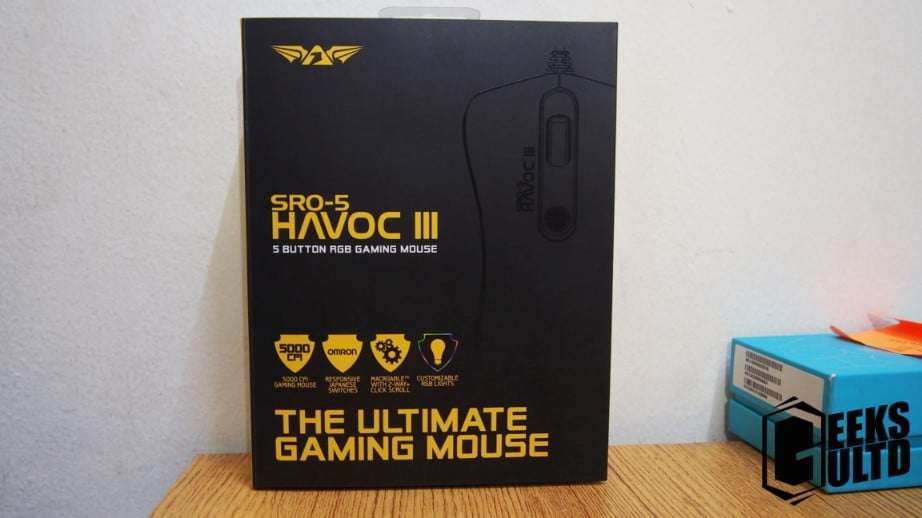
High performance tracking speed, up to 130 inches per second
Save up to 8 macros
Extra-large high quality teflon mousefeet
Up to 16.8 million color options
Extra durable nylon cord
Extra set of hight quality teflon mousefeet included
Software included to aid customization
02| Design and Build Quality
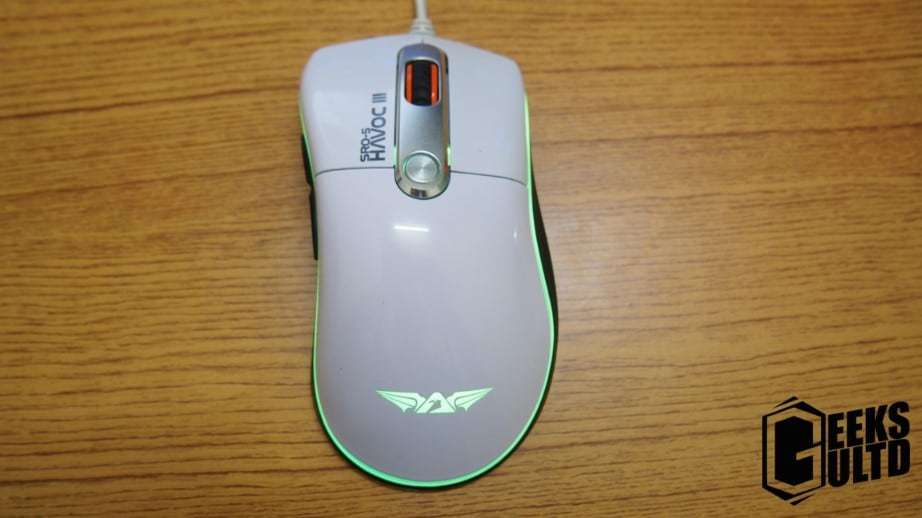
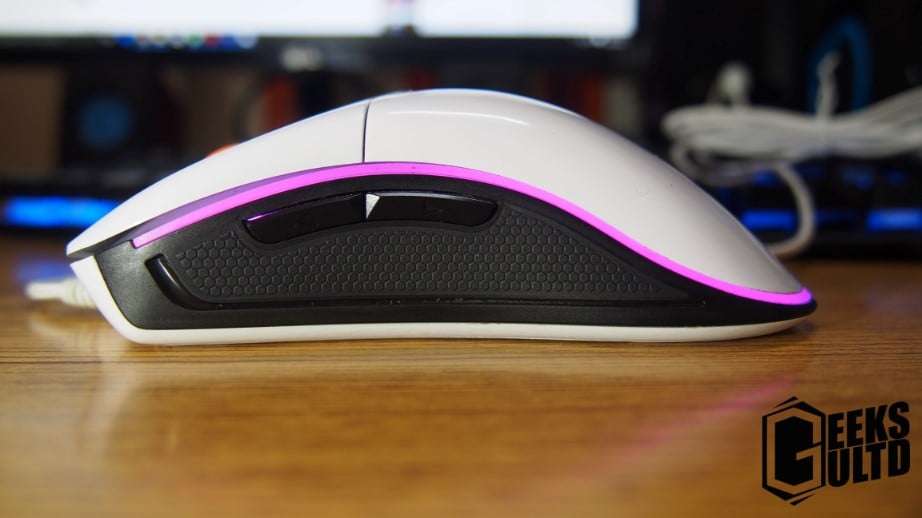
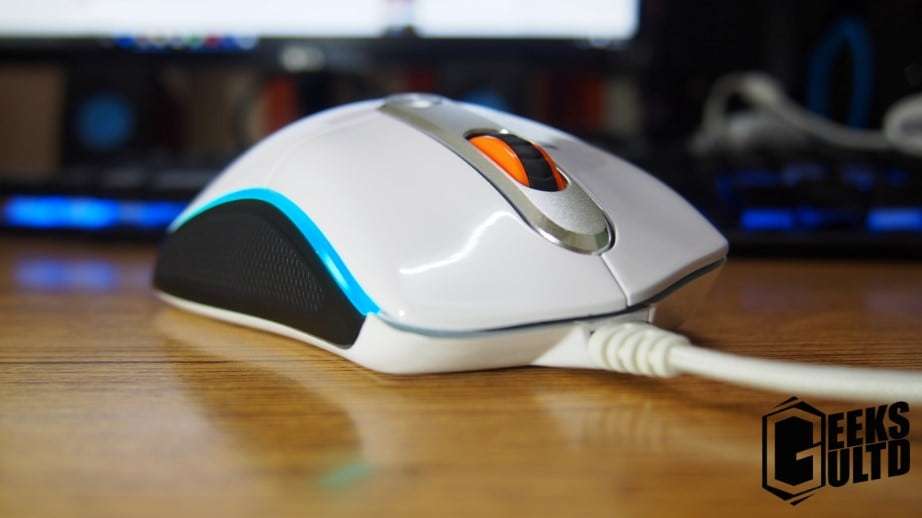
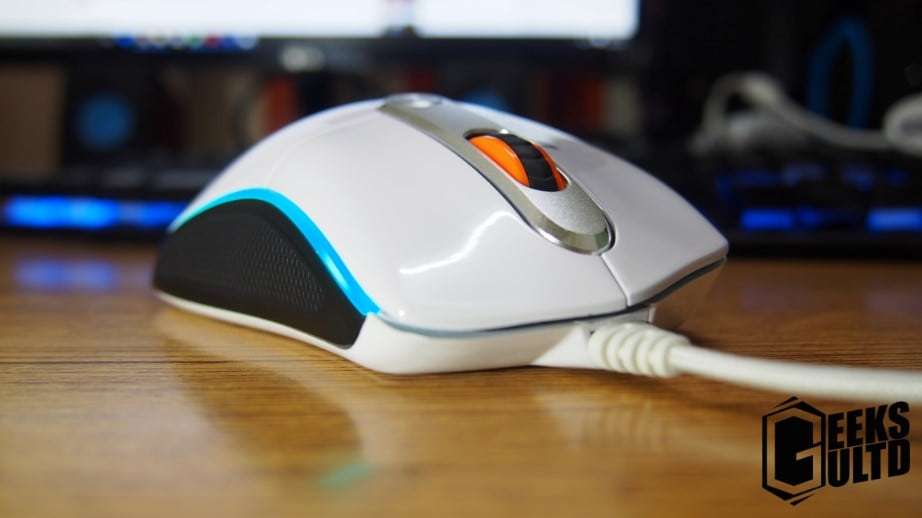
The mouse has sort of ambidextrous design allowing right handed and left handed users in harmony.
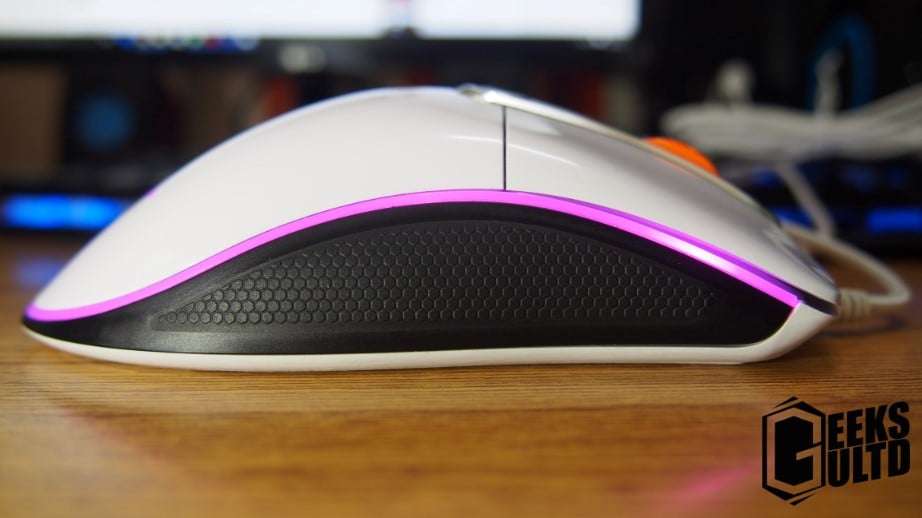
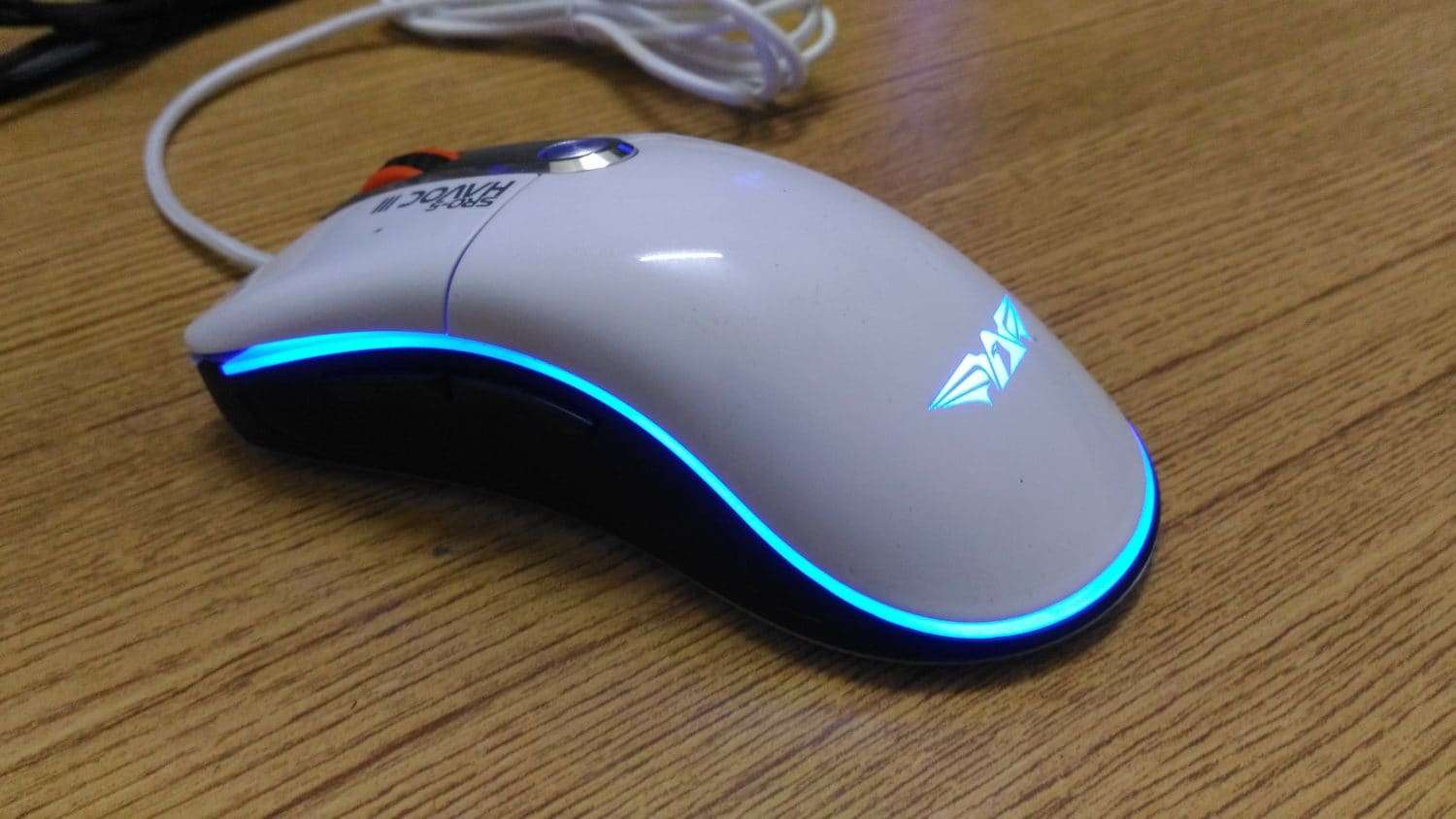
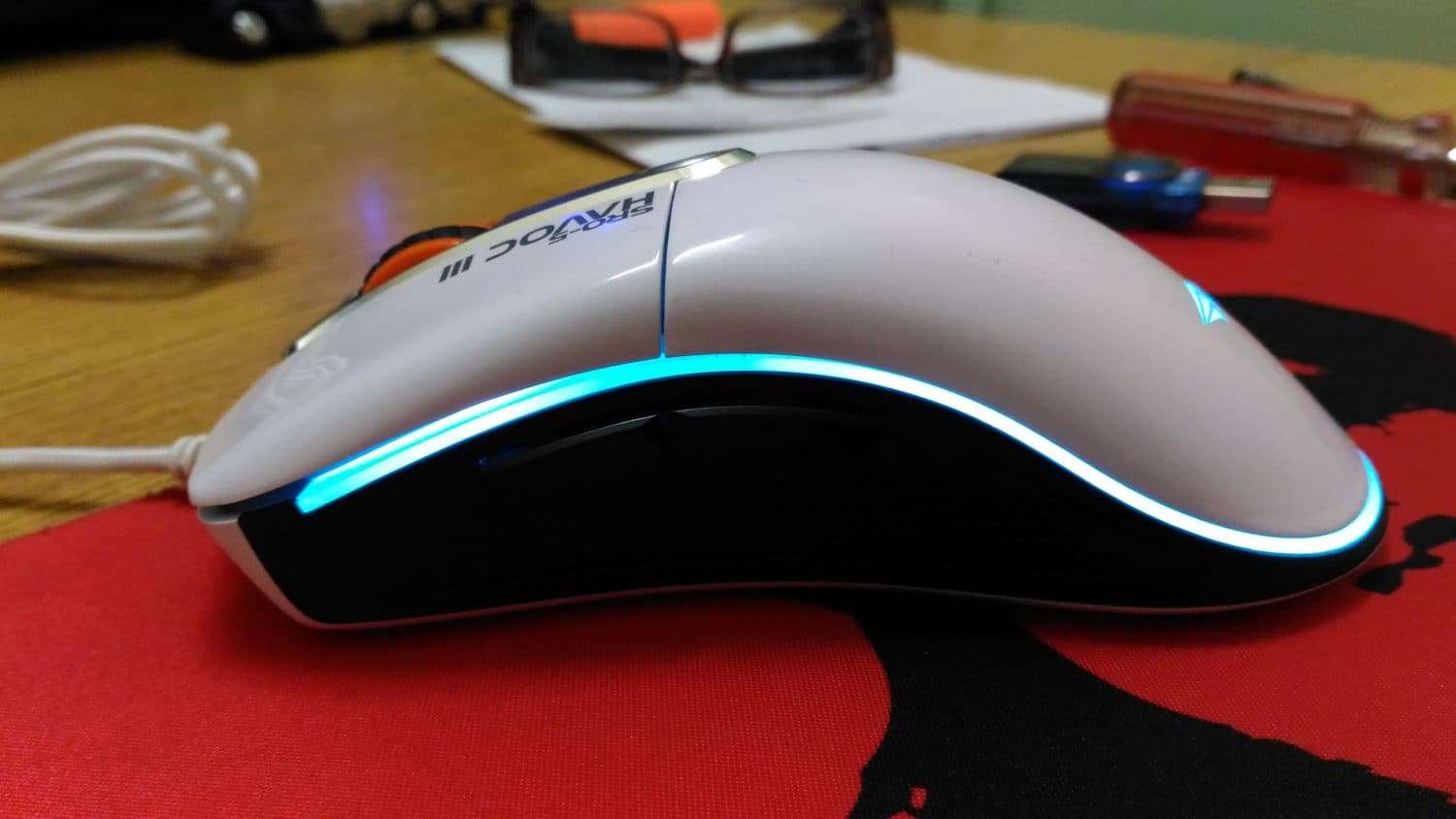
The design of the mouse is pretty good in my opinion. The sides are covered with rubber and the RGB lighting in my opinion is just perfect they haven’t overdone it. Pretty good there!
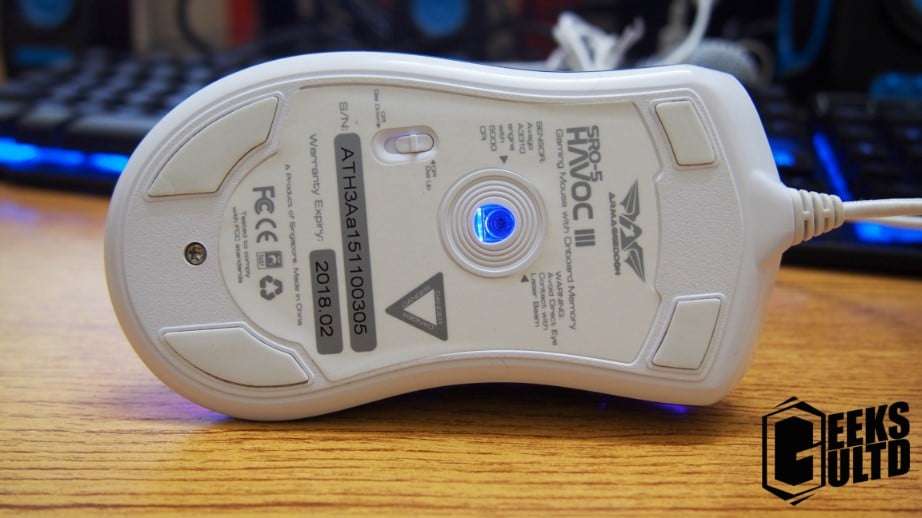
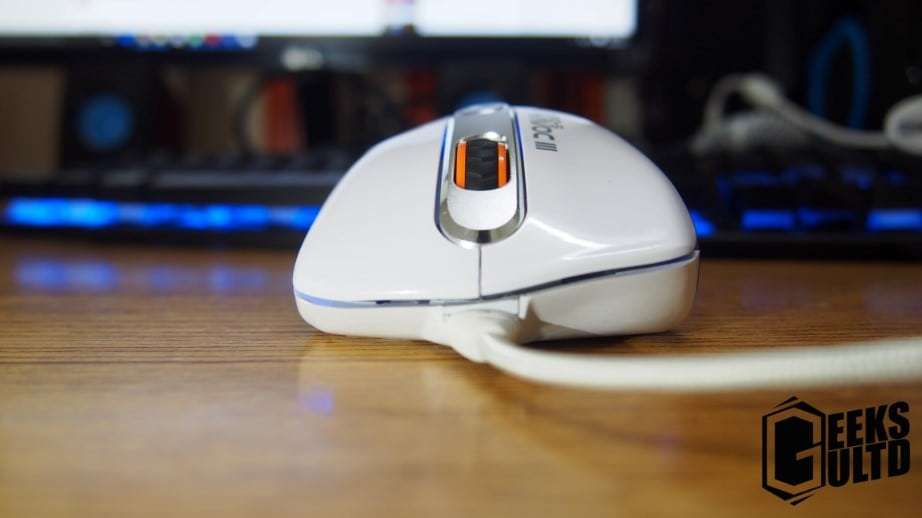
On the top of the mouse you’ll find the CPI Button, the Left and Right Click Buttons and the scroll wheelTowards the left of the mouse you’ll find a comfortable grip. two buttons, forward and backward which you could re-program to do another function.Towards the right it’s all plain. the same comfortable grip continues here.Underneath the mouse you’ll find four foot pads, the AVAGO A3310 sensor, some serial number stuff and a switch for lower CPIs or Higher CPIsHere we can see that the mouse is leaned towards the right side.
As of the build quality, it’s okay. I really don’t want to complain about plastic here, though the glossy plastic makes the mouse prone to pickup dirt easily, but on the other side, it’s pretty easy to clean as well. I would also like to share that the forward and backward buttons on the left side of the mouse need some attention in the quality department.
As of the quality of the cable, Armaggeddon opted for an ultra-durable braided nylon cable on the SRO 5 HAVOC III that is 1.8m in length. The cable really seems sturdy and built well.
03| User Experience
I really feel that Armaggeddon has made quite a few awkward choices here. First of all, all hail the CPI sensor, the button on the top of the mouse only has two CPIs, so if you want to switch to a lower CPI then you have the flip the mouse and change the switch to lower CPI and vice versa. I’m sure some gamers might hate on this.
Next up, the left-click, the left-click on this mouse started to produce a squeak sound after two weeks of using it. The squeak noise isn’t consistent though, sometimes it squeaks, sometimes not. In productivity sessions and a few gaming sessions I really felt irritated by this.
However, other than the two negatives, I would praise how well the mouse glides on fabric. The mouse is fairly lightweight in my opinion, and to be honest, I really don’t want to ask for a weight management option on this mouse despite loving the fairly heavy NRO-5 which I reviewed here.
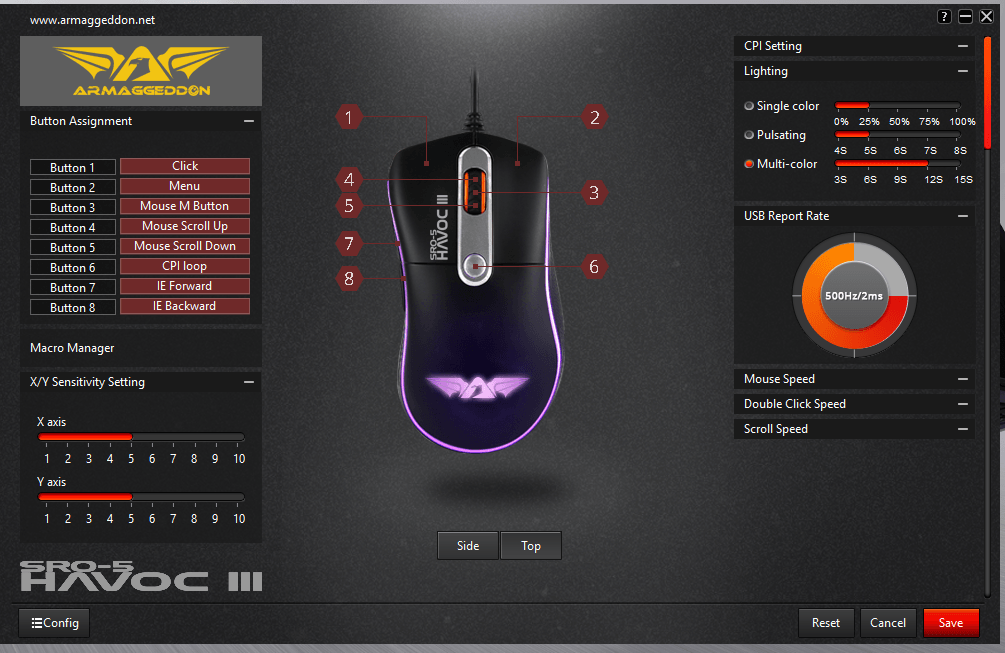
As always, Armaggeddon has included their software for this mouse. In my opinion they nailed it. It has almost all the functions you need from changing the RGB colors, playing with macros to changing the polling rate and much much more.
04| Pricing and Conclusion
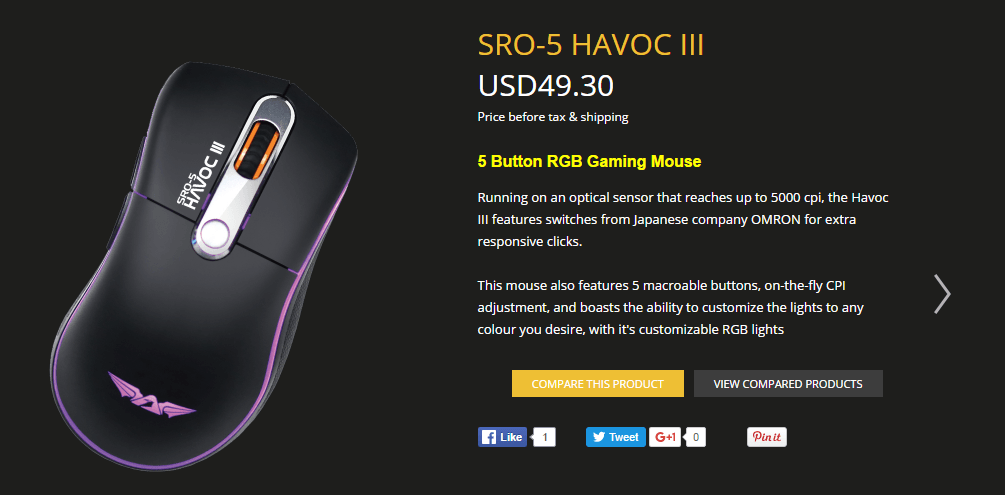
Armaggeddon’s SRO-5 Havoc III has an SRP of RM169. Having a quick checkup only you could get it as cheap as RM159 on online stores. In my opinion Armaggeddon has brought a worthy contender in the game. There are a few minor quirks but yeah in most cases it’s totally acceptable. So would I recommend it? Damn Yeah!
We would like to award this product our Silver Award!
So as some of you may know that I am an Intel CPU user and an AMD GPU user. Recently there is a lot of blunder around the new upcoming AMD Zen CPUs which promise to catch up with Intel’s rally of CPU. I was on the same hunt of looking for any news about AMD’s Zen since I have a soft spot for it too.
01| AMD Zen is very important for AMD
I wasn’t able to find anything major on Google so I stumbled upon an excellent video on Youtube that really caught my attention. I am no historian, but I found alot of his points that he made are valid. Here’s his video!
For those who are bragging he’s an AMD fanboy, go along with the video and listen carefully as the uploader of this video is an i5 2500k user. There’s many valid arguments that he makes over here. AMD is already in a financial crisis. They need Zen to work out to get back into the race!
02| DX12 Performance improvements
As we could see, DX12 seems to love more cores and less GHz. I also found Digital Foundry’s video on which the benchmarks the i3 4130 and i7 4790k on DX11 and DX12. As we could see that DX11 used to heavily rely on the 1st core of the CPU or so call it CPU0.
Meanwhile, up to a business standpoint it really seems like DX12 would not do major boost to the AMD FX lineup. They also need their business running and need users to upgrade to their AM4 lineup. If there will be a major boost on the current AMD FX lineup let’s see how AMD handles this.
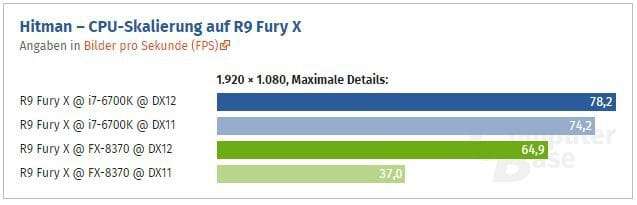
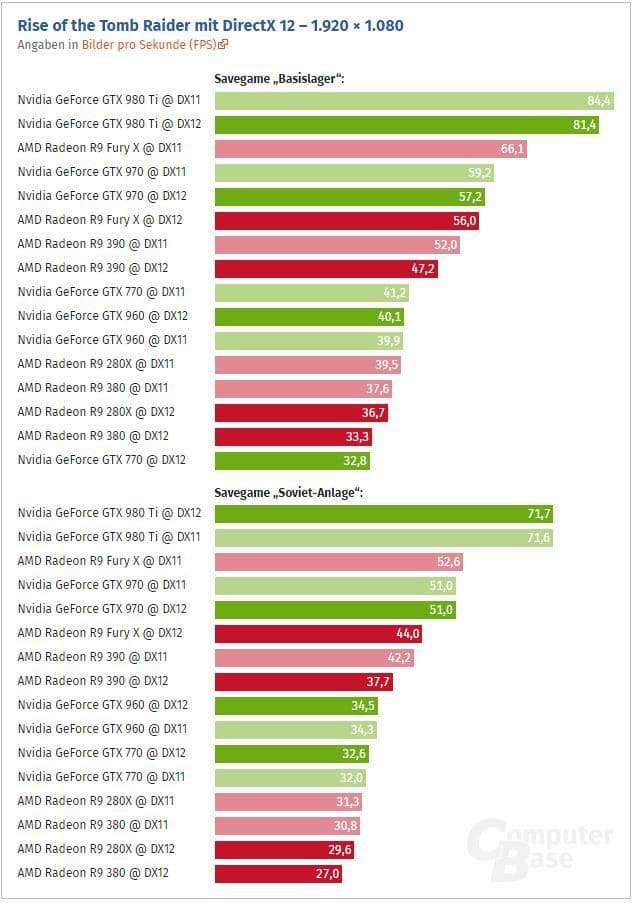
Here are a few benchmarks of games that are already utilizing the DirectX12 API
i7 6700k vs FX 8370 Hitman on a FuryX. Not a property of GeeksULTDNot a property of GeeksULTD
I honestly am not expecting any major gains towards the AMD FX CPU’s side after utilizing the DX12 API but sure am very interested in the gains that Hitman has on the AMD FX 8370. Still intel is ahead at the meonet and we are excited to see if AMD plains the field! As we could see some modest gains on the AMD FX side especially the 8 cores.
So what are your thoughts? Are you happy with your FX CPU? Or do you have some thoughts? The comments section is down below!
So I usually haven’t done any UltraBook reviews in the past. As many of you know I am a PC user who has a Gaming PC. I really used to under-estimate the power of laptops, especially due to their price. Asus Malaysia was kind enough to offer me their UX305C to check out. I gave it a chance! Did it impress me? Let’s find out!
01| Design & Build Quality!
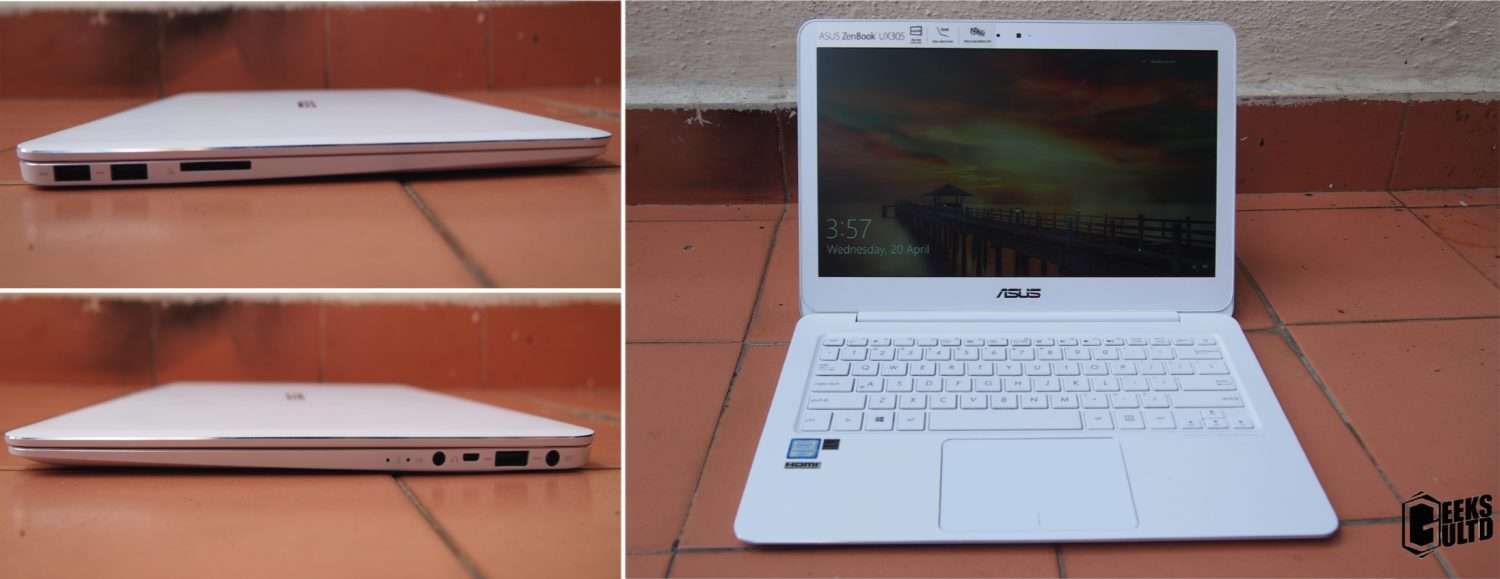
When I first saw this laptop, I was shocked by how thin it is! Sure its not much of a shocking thing to many, but it’s been long since I’ve came back to laptops. The laptop is sturdily built of metal and plastic with a soft touch finish. The size of the display is 13.3 inches which is a good form factor in my opinion. Sure this isn’t a laptop for everyone, but in my case, moving from a gaming machine to the UX305C just impresses me. Yeah sure, it’s performance is no where near to a full fledged desktop gaming machine but still I really love the performance offered at this form factor by the UX305C.
Asus has always been one of the most innovative laptop manufacturers, Asus has smartly ditched the stuff they think were right and my opinion the did it right. On the right of the laptop you’ll find two USB 3,0 ports and an SD card reader, that’s all. Towards the left of the laptop you’ll find a charging port, USB 2.0 port, a mini-HDMI port, a headphone jack, and two LEDs to show if the laptop is charging or not. For those who want to use Ethernet on this laptop, Asus has bundled a USB to Ethernet port with the UX305C. Even in this form factor I think that the expansion options given by Asus are pretty good. Kudos to Asus here!
02| Performance
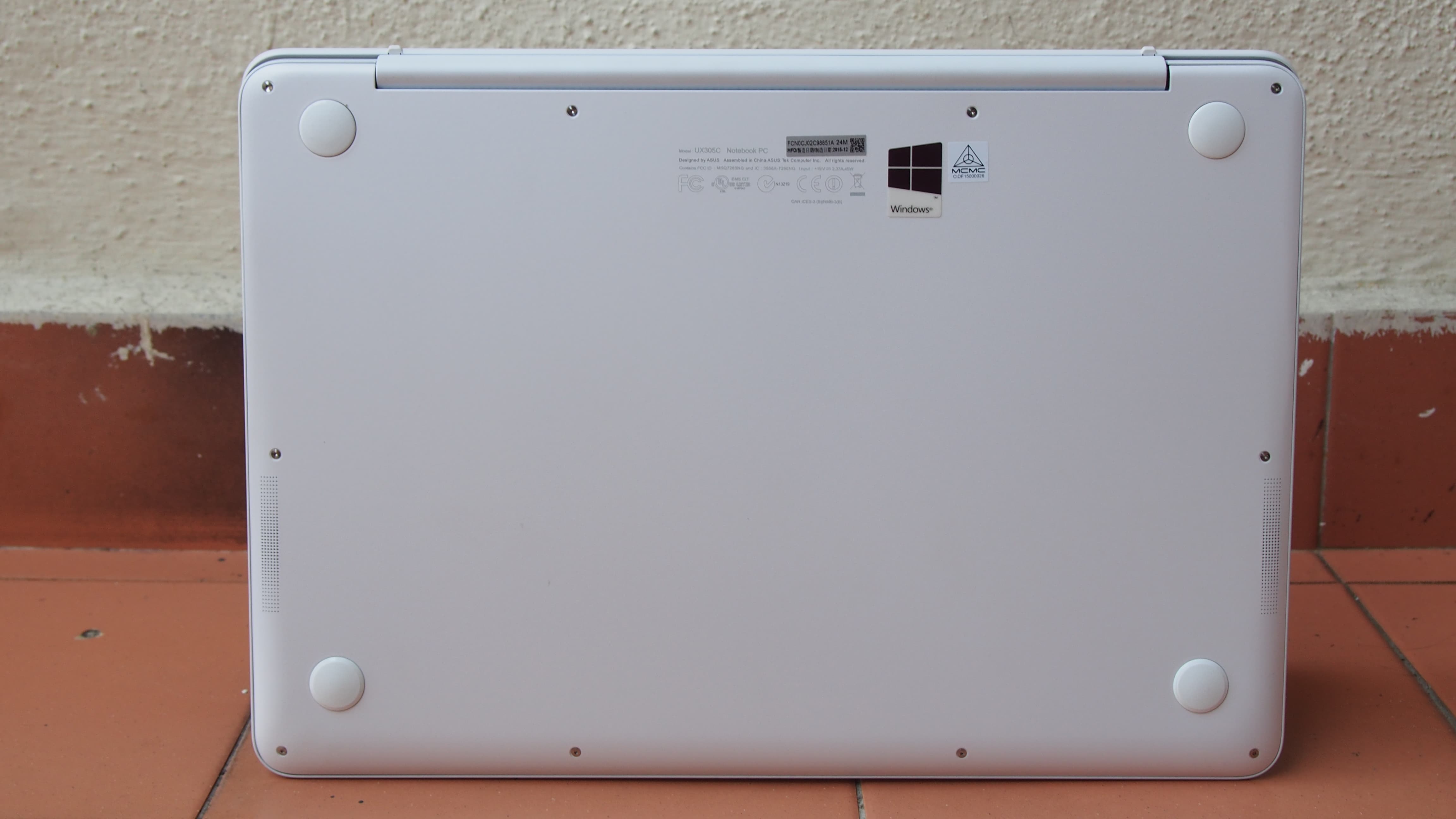
The performance on the ZenBook is good enough for its form factor in my opinion. I tested the laptop is daily tasks just as surfing, some productivity apps and even Adobe Illustrator CC which ran flawlessly. Oh did I forget to mention that this laptop could run most of your favourite mobile games on the MS Store like a beast? Well yeah, the laptop played games very well, that’s for sure, but only mobile ones. I didn’t try to waste my time torturing this device with high end games. While playing games, as usual I noticed the bottom of the laptop heating a bit. Some people may be saying, where the heck are the vents? Well Asus has hid them towards the hinge of the laptop.
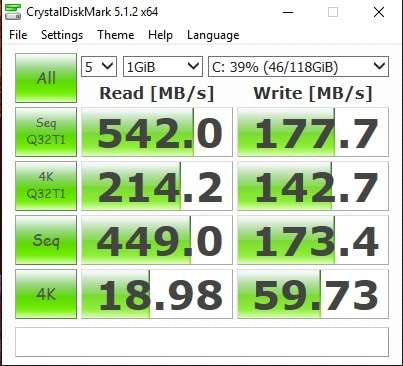
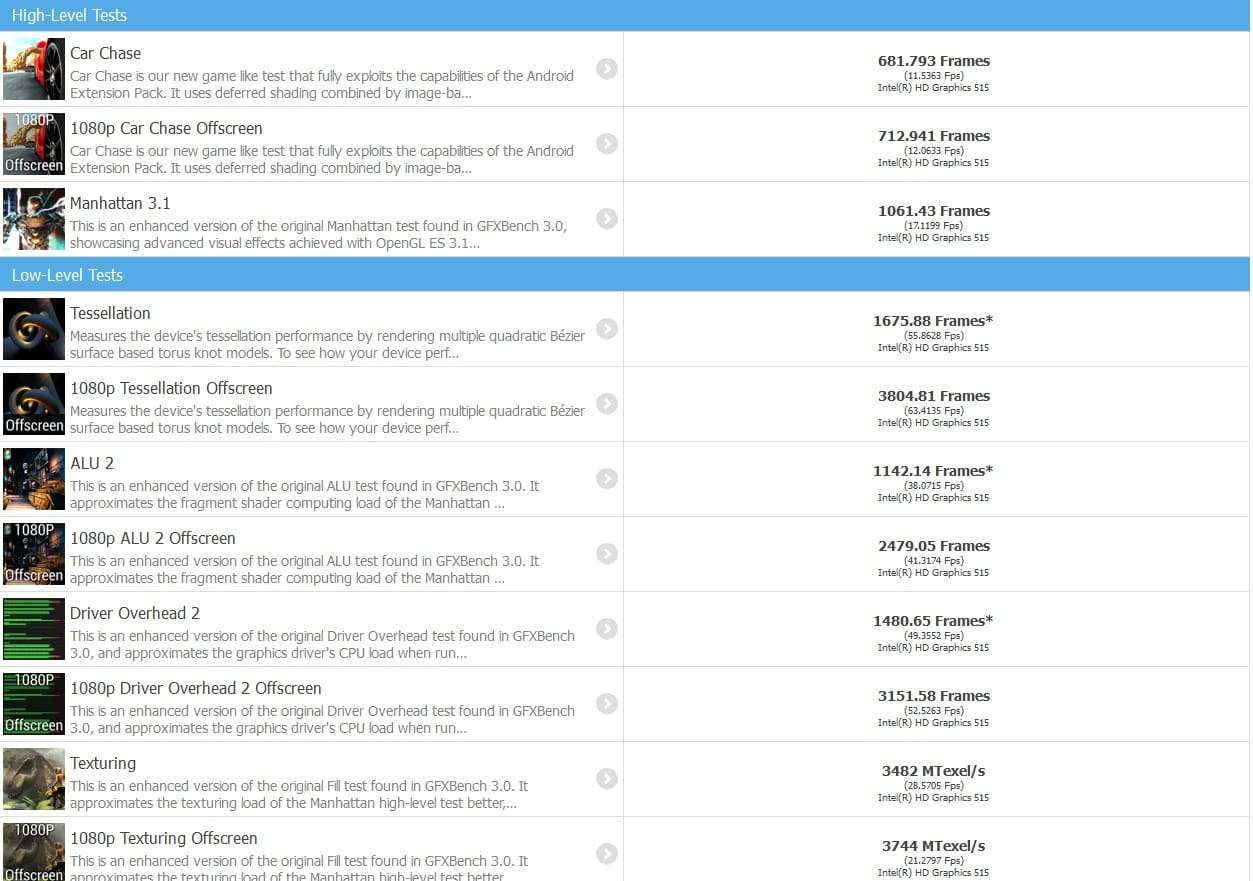
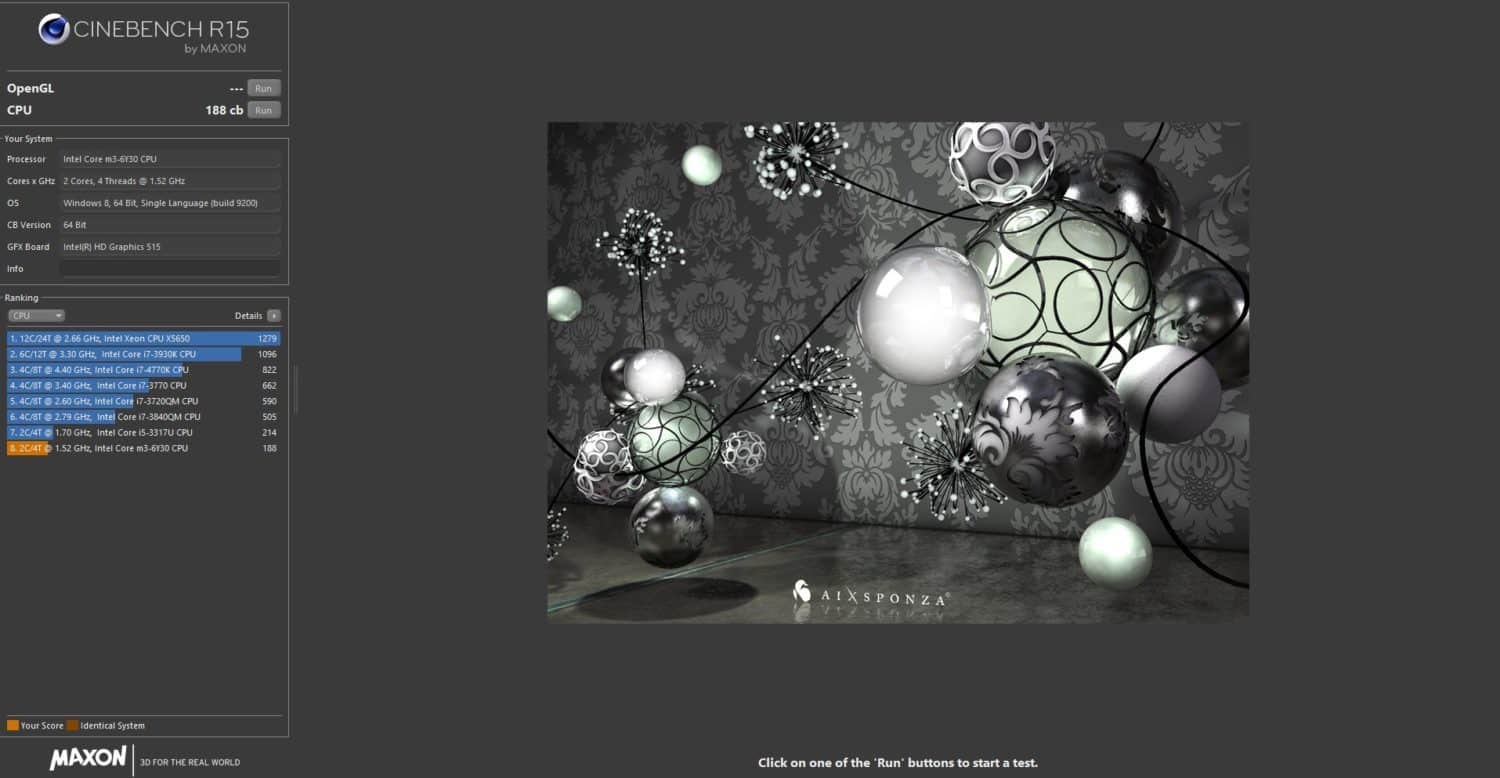
As of the storage options, Asus sent me their 128GB M.2 SSD model which at first glance I was like, WTH! but then soon I realized, people who do general tasks and some productivity don’t need much storage in the first place. In my opinion the Intel Core m3-6Y30 paired with 4GB of RAM is pretty good. Opening multiple tabs is like a breeze on this laptop and the M.2 SSD just makes everything much much snappier.
I also did a test in GFXBench, here are the results
Here’s a test from Cinebench R15
03| Display & Speakers
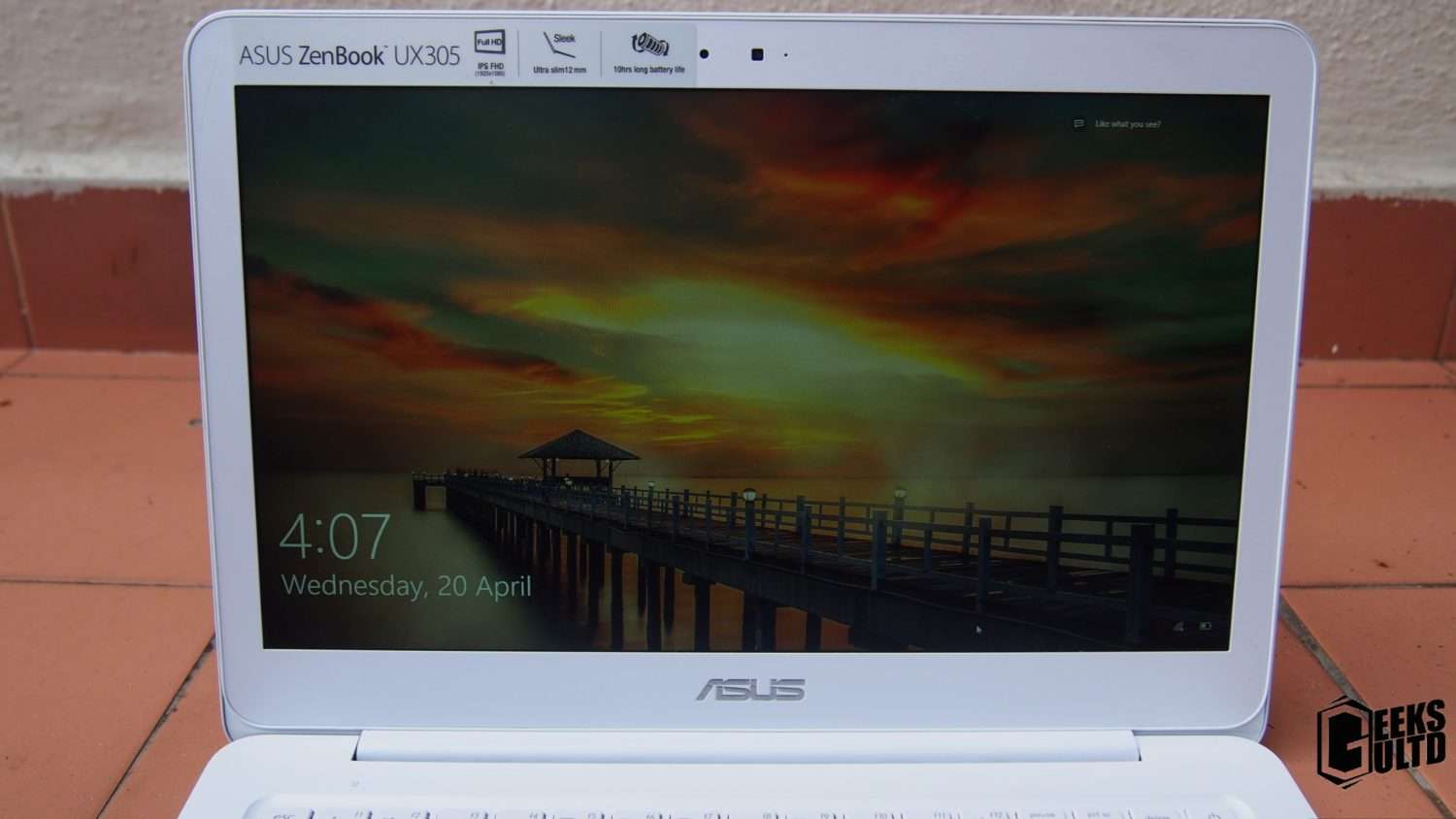
The display on the UX305C is pretty decent in my opinion, it has a matte finish, 13.3 inches in size, 1080p Full HD and has a pixel density of 166PPI. However, looking around I found that by shoving some more money could get you a QHD screen on this laptop 3200 x 1800. However, I am not quite sure of the availability of the QHD model.
Though I really don’t hate the matte finishing used on the screen of this laptop. Color reproduction is good and viewing angles are good as well. Browsing the web is also an enjoyable experience.The brightness of the display is okay as well, however, the display seems a bit washed out while outdoors.
The speakers on the UX305C are on the bottom of the laptop. Though, due the angular body underneath the laptop, it gives the speakers some room. In my opinion, the speakers are pretty average. They are clear but not loud enough, sure I wasn’t expecting much in the first place for an ultrabook, but they get the job done.
04| Battery life
Battery life is one of the biggest concerns when choosing a laptop. Though, most of the time I had it plugged in I did test how long the battery lasts. Asus claims that the battery will last 10 hours, but in my testing in normal browsing it lasted me for 5-7 hours with Wi-Fi on and 100% brightness. Charging time was also pretty okay, it usually charges within 1 and a half hour from 7% to 100%.
05| Pricing and Conclusion
The UX305C retails for RM2899 in Malaysia, which is approx. US $760. The price tag my my opinion seems a bit high for such a device, sure I know Ultrabooks do come expensive but not always, they also have their 15.6 inch counter-parts which are thicker and bulkier but do have better internals. Overall the UX305C isn’t a bad laptop, its a pretty good laptop that made me realize that I don’t always need a high end gaming machine. The only thing that’s hard for me to swallow is the price. That’s all. Anyways, a huge thanks to Asus Malaysia for letting me review the UX305C.
We would like to award this product our Bronze Award!
Smartphones are the norm nowadays, everywhere you go, you see this brand and that brand. Its a large world out there and its easily confusing. You’ll really be regretting yourself if you’ve picked up a smartphone and you could have gotten a better one. So in my opinion, its best to do your research. Okay let’s start this.
01| Under RM 500
This is the budget where you should have to get a decent smartphone. This price range is very very dense. There are a thousand phones under this price. If this is your budget you gotta have a lookout for these smartphones.
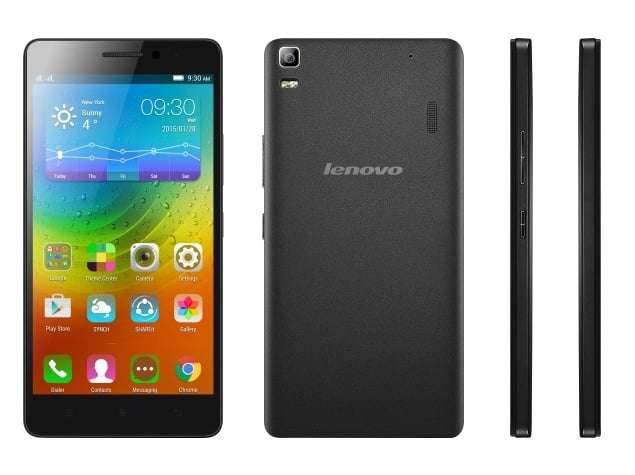
Lenovo K3 Note/ A7000 – RM 499
The Lenovo K3 Note is an AP Set though the price and performance is just killer. Its just behind in numbers, but it could handle anything you throw at it. The Lenovo K3 Note is a very well known phone around the internet and will set you back RM499, or if you want an Original set you could look for the Lenovo A7000 which will set you back around RM599.
02| Under RM1000
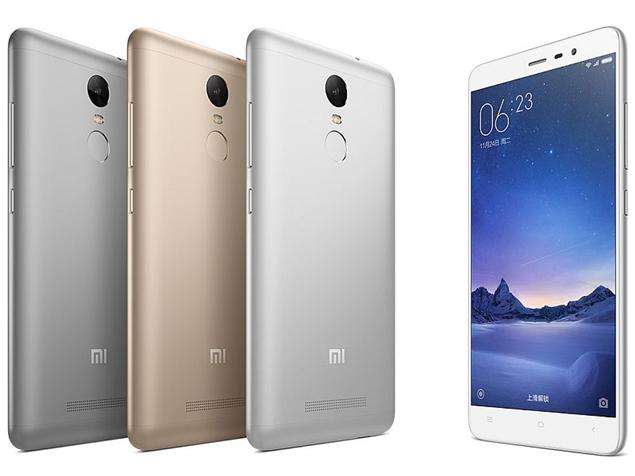
Xiaomi Redmi Note 3 Pro- RM800
If you’re looking for a phone that kicks ass in this budget your eyes must be magnitized towards the Redmi Note 3 “Pro” from Xiaomi, do note this is the Pro Version with Snapdragon’s 650 CPU. Just keep that in mind because this phone comes in two variants.
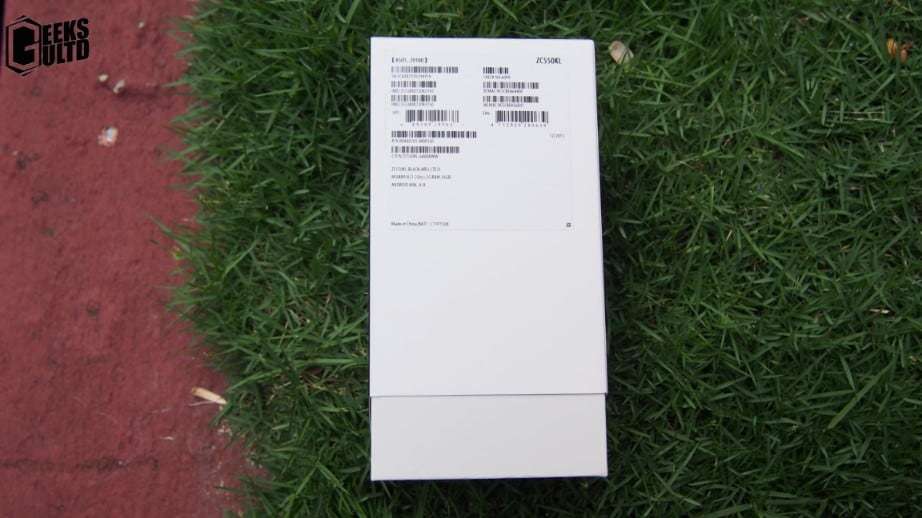
Asus Zenfone Max (THE BATTERY BEAST) – RM729
Big on battery! If you’re looking for a battery powerhouse you really need to have a look at the Zenfone Max which is equipped with a 5000mAh battery which is more than enough to take you through your next day. We at GeeksULTD have personally reviewed the Asus’s Zenfone Max here.
Huawei Honor 5X – RM 900
Huawei recently pushed their bars up higher by releasing their Honor 5X. A truly premium phone with all the flagship gimmicks you might want, metal body, good camera, very good 1080p screen and great performance.
03| Under RM1500
This is where the flagships are being revived at. Under this price bracket there are a ton of options
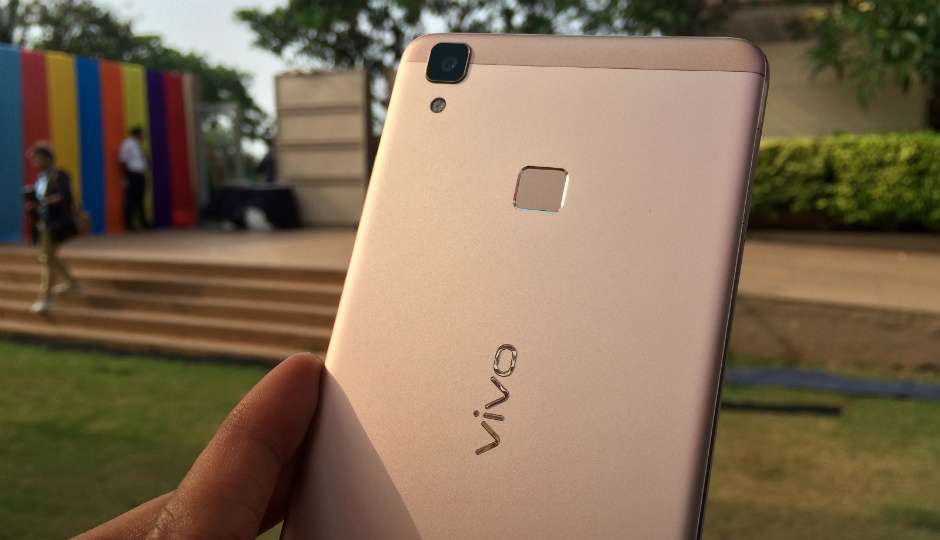
Vivo V3 Max – RM1399
The Vivo V3 Max is no joke when it comes to performance. It has the all new Snapdragon 652 paired with 4GB of RAM with a lot of flagship features.
I hope this list may help a lot of people ans there are sure many great phones that I missed out, but this is what I think are the best phone for their phone and the competition is close it it which really are phone on opinions. It really depends on what you like. I highly recommend before going out to buy a phone, have a look at the latest pricing on smartphones at www.Lelong.com.my if you’re situated in Malaysia. Elsewhere, please check your local online retailers before making a purchase.
Yet again, today we have one of Emarque’s excellent PC builds. As we usually like to link PC Builds instead of pulling imaging from facebook we like to allow some more exposure to excellent PC builds that really need some more attention. If you have some PC Builds you want to recommend to feature, just head over to the Contact Us page and we’ll look over it.
Here’s Emarque’s Reagen Gold PC Build
Do toss them us and them a like since it motivates both of us. They also have some more eyecandy on their Facebook page so go ahed and have a look at their excellent work!
Battery life is one of the core aspects of choosing a smartphone. Today, we have Asus’s Zenfone Max. With 5000MAh, Asus wants to make sure you have your battery for yourself and share the candy with other smartphones. Is it only about the battery life of is it worth it? Let’s find out!
01| The Unboxing!
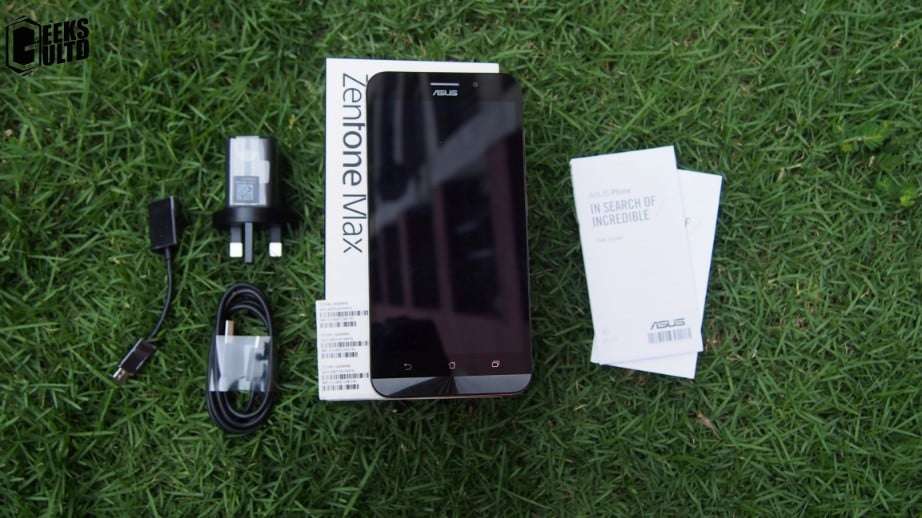
The box in all it’s glory!Some specs showoff!After ripping apart the box, you’ll find the phone itself, user manuals, some S/N stickers, USB cable, charger and a reverse charging cable, which could also be used for OTG
02| Design and Build Quality
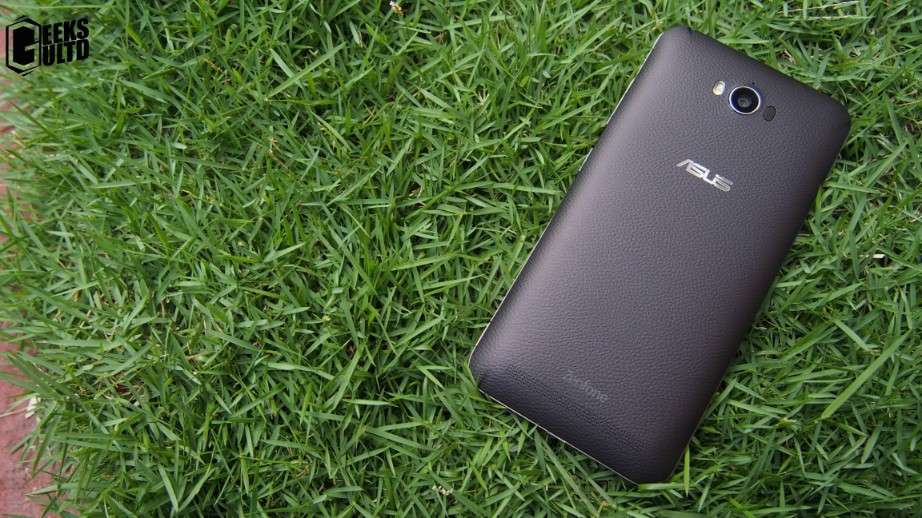
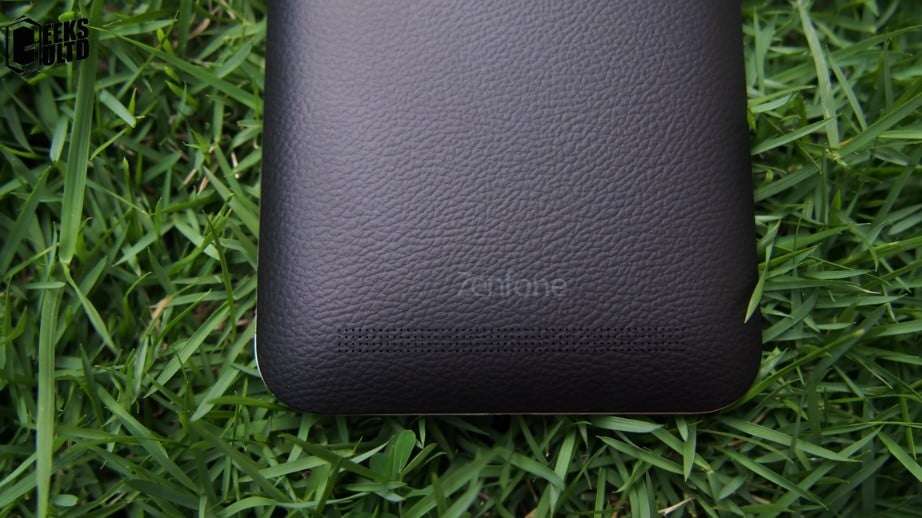
Asus really wants to make this phone look premium I guess mainly due to its thickness. The phone tries to be premium by making its back look like leather, in fact, its plastic. This time around, Asus changed the button placement on their phones.
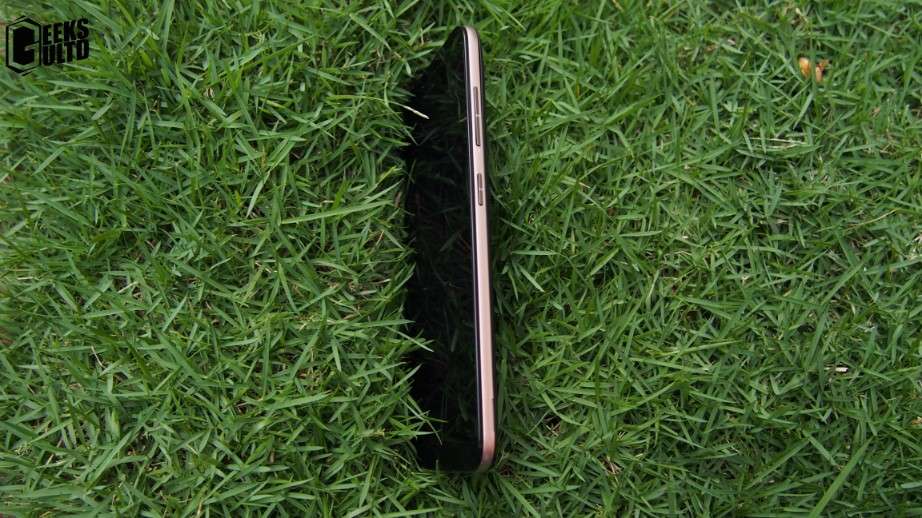
The Zenfone Max is equipped with a 5.5 inch 720p screen. It has the usual Asus look with their signature chin at the bottomThe left side is plainTowards the right this time around, you’ll find the power button and volume keys.Towards the back you’ll find the camera, flash, ASUS logo and the speakers at the bottom. In my opinions even though its not leather the phone sure looks great!
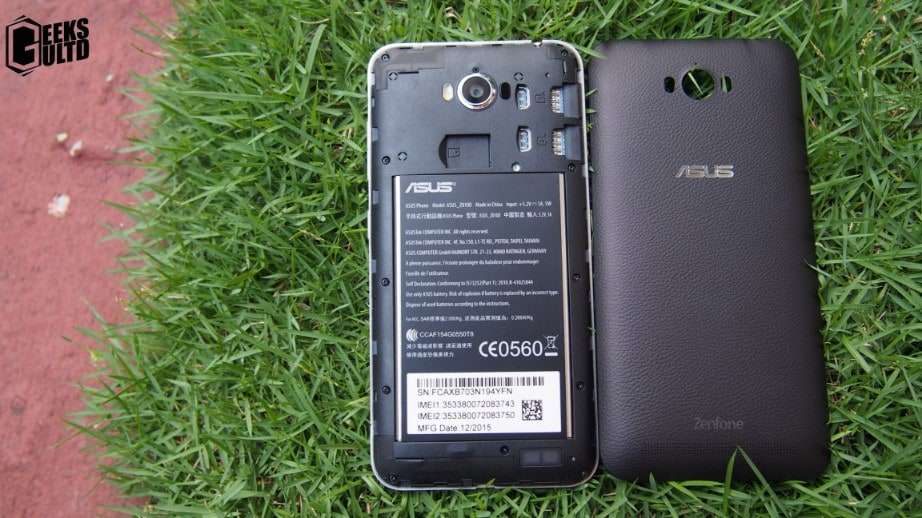
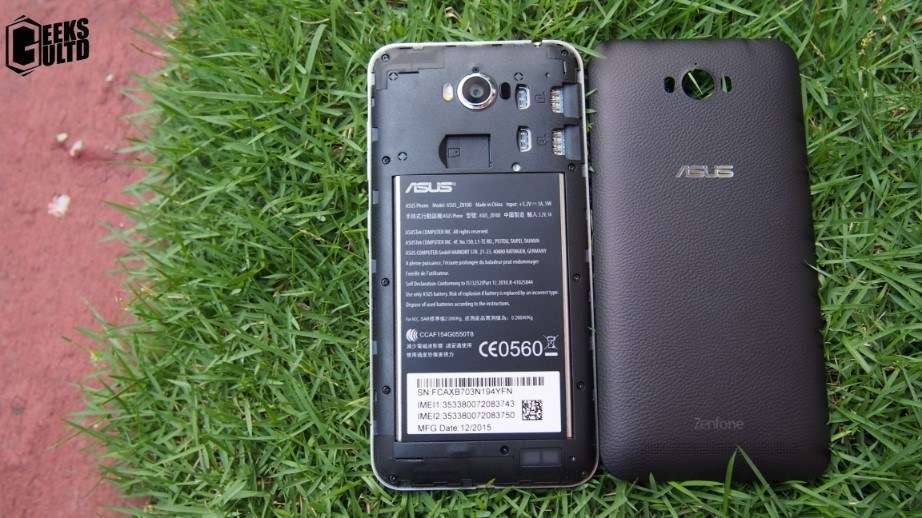
Removing its back reveals some if its expansion options. What we’re looking at over here is dual-sim card slots, a dedicated MicroSD card slot ( supports upto 64GB), 5000mAh non-removable battery and the speakers.
As of the build quality,the Zenfone Max’s build quality seems pretty promising. It could take some beating here and there. I personally dropped mine on the face of the phone from waist height and the phone was totally fine. The phone has some minor quirks though. The 5000mAh battery sure makes the phone thick and a bit heavy, 10.6mm and 202g, respectively. Though in my everyday use I didn’t really notice that expect the first few days I used the phone.
The phone isn’t even the “grippiest” though, the phone really lacks some grips here and there due to the material choices at the back. Its not totally slippery, but a switching your brain gears somewhere else may drop the phone.
03| Display and Audio
Here’s the display
The Asus Zenfone Max is equipped with a 720p, 5.5 inch display covered with Corning Gorilla Glass 4. The phone has a very good display I must say. The phone even though is 720p, I really don’t mind since text and images look quite sharp. Asus also included their classy Splendid app which tunes the display according to your liking. Though, I’d like the Splendid app to have some exceptions, such as in the camera app, the gallery or any other apps since sometimes enabling the Splendid app on vivid mode really shows off better images on the phone, but once exported its not as the image we expected. If you’re a person who stays outdoors most of their day they’ll find the display a bit dim in harsh sunlight. Though, the screen isn’t bad, its just usable.
These rear facing speakers are not bad.
As of the audio quality, I am no audiophile, but the speakers are leaned towards the louder side of the smartphone spectrum. Though at times I felt very minor distortions at high volumes. I had a pleasant experience watching Youtube videos. The speaker is placed at the back, though I know Asus could manage some alterations in their next smartphone. Most Android lovers love front facing speakers. Anyways, not a bad experience, it’s just what I’d love to see.
As of the performance, the performance of the Zenfone max seems to be very good. Equipped with 2GB of RAM allows it to be snappy. As of the CPU horsepower, you’re looking at a Snapdragon 410, a quad-core clocked at 1.2Ghz. On Antutu, the phone managed to score around 24k For most of the time the phone was very smooth, in fact even when I had 5-6 apps running in the background. Sometimes I did notice apps restarting when I got back to them but hey with these specs it’s performing like a champ.
As of gaming performance, yes it can play most games fine with the exception of high end ones, though, I tested Asphalt 8 on Medium, and it ran it just fine.
When it comes to storage, you have two options an 8GB/16GB the rest of the specs seem to be the same here. The one I am using is the 16GB variant. After I took it out of the box, I found, out of 16GB of internal storage only around 10GB was usable. I think Asus could do some work here.
05| Camera
The camera on this phone is a 13MP shooter with laser auto focus. In my opinion the images for this phone are good enough for the average Joe. Images from the Zenfone Max seem to have a trend of adding noise here and there. There have been a few times when some colors that it produces are inaccurate. When it comes to focusing on the Zenfone Max, yes it’s damn fast but it’s really saddening that it becomes much slower to focus when you tap to focus on a subject. Here are a few samples that you could have a look at. Do note that all of these images we taken at Auto Quality. Asus also has an excellent Manual mode to add a few more crannies to the picture but yeah to keep it fair, most people don’t spend time in the manual mode or don’t even know how to use it which is the reason Auto is the best comparison.
Here is an outdoor shotAnother Outdoor shotThis image seems to be darkHere’s an indoor shot, do note the fuzziness on the edges of the Pringles boxI really liked how well the phone blurred out the other subjectsDo note the high noise in this image. I really think Asus needs to work on this.
06| Battery Life
The main core aspect is finally here. The Zenfone Max is okay in my opinion for a 5000mAh phone. I have seen phones with around 3000-3500mAh get close to the battery life of then Zenfone Max. There’s no denying that the Zenfone Max just impressed me in the battery department but I wish Asus gave it some time to optimize the battery timing to squeeze that 5000mAh juice! But yeah, to be honest I didn’t really expect Asus to put much time into this phone. As of the battery life, the phone usually lasted me two days on medium usage. While playing games for half an hour the battery dropped 8% but didn’t overheat. Alot of people will also be concerned of the charging time of this phone, this phone is no joke, it takes a full 3.5-4 hours to get full charged ( from 12% to 100%).
Asus also has their Power Saver application which in my opinion serves just okay, it didn’t make much of a difference but yeah at least its there. Their app works but setting specific rules to the smartphone, such as turning off wifi, bluetooth or close background applications.
07| Pricing & Conclusion
The pricing of the 2GB RAM/16GB variant of the Zenfone Max is retailing at RM749.99 at online retailers. In my opinion this phone is a must have for hikers, travellers or even the Average Joe. In my opinion the phone is priced well for its performance and that 5000mAh battery no complaints here. There are a few minor quirks which are in almost every smartphone but yeah, Asus could take in account for the negatives of this phone, hopefully in the Zenfone Max 2, maybe!
We would like to award this product our Bronze Award! Definitely recommended!
Well so for some time I was very keen to really test out the power of the GTX 980 after using the R9 390. It retails for around RM2600/ US $660 and is easily available at most PC retailers.
Okay, let’s jump in
01| Unboxing & Showoff!
Well I’d just let the box do the talking
The star of the show!
Here all that you get in the box, the CD, user manual, 2x 8-pin converters and a graphics card.
02| Design
When it comes to the design of graphics cards, Asus’s implementation of their designs look stunning, to be honest. The GTX 980 Matrix Platinum is equipped with Asus’s DirectCU II cooler which really in my opinion really suits the card’s aesthetics and the cooling needs.
DirectCU II cooler just looks amazing! I would say that the aesthics haven’t been overdone here! To be a bit informative the dimensions of the card are 11.7 x 6 x 1.6 Inch (29.72 x 15.2 x 4.06 cm)Towards the left of the card, you’ll find your display options. There’s 1x DVI port, 3x Display Ports and lastly 1x HDMI portHere its pretty plain but if you look closely its an LN2 for those crazy overclockersTowards the back of the card you’ll find a decent looking backplate.Do remember that this card requires two 8 pins to be juiced up!Towards the top, you’ll find the cool ROG logo that changes its color according to the load, a glimpse of the 10mm heatpipes, and the 2x 8 pin slots to power up the card
Now that we have got an overview of the card. The card sure looks very awesome, no matter what case you’re using. The red and black accent didn’t wreck the blue theme of my PC. But no matter how good the card looks, I was a bit disappointed by the the build quality. That’s not to say its built bad, but I’d have really loved to see its body built of steel instead of plastic. I know the card isn’t the latest addition in the family, but maybe next time, Asus. Overall, that’s my only complaint with the card.
Here’s an overview of the card’s specifications
03| Benchmarks
Just to inform you guys that these benchmarks were performed on an Intel Core i7 6700 (Non-K) with 8GB of DDR4 2133MHz RAM. Another point to note is that we aploigize for not including the GTA V benchmarks as the lastest driver was causing issues with GTA V’s benchmark tool. So lets roll in the benchmarks shall we?
















 k for the Pro Duo, for enhanced cooling, to get the most out of the $1500 card. The water block will fully cover the whole GPU, cooling everything.




 The Huawei Honor 5X sports a 5.5 inch IPS Full HD 1080p display which accounts for a PPI of 401PPI. The display is quite sharp and has a good amount of saturation, brightness and contrast. No complaints here, but I would have loved Huawei to include a display tweaker app which would tune the colors to my liking just like how Lenovo and Asus have implemented. Anyways, that’s just a personal opinion.














 As of the performance, the performance of the Zenfone max seems to be very good. Equipped with 2GB of RAM allows it to be snappy. As of the CPU horsepower, you’re looking at a Snapdragon 410, a quad-core clocked at 1.2Ghz. On Antutu, the phone managed to score around 24k For most of the time the phone was very smooth, in fact even when I had 5-6 apps running in the background. Sometimes I did notice apps restarting when I got back to them but hey with these specs it’s performing like a champ.





 03| Benchmarks