In the sum of VPN services, iTop VPN stands out as a notable contender, offering a mix of free and affordable plans complemented by distinctive features. This comprehensive review aims to delve into the nuances of iTop VPN, spanning from its commendable free plan to its privacy protocols, pricing structures, and overall performance.
Pricing and Plans
iTop VPN entices users with a commendable free plan, providing 700MB of daily data and access to 16 locations, including the prominent US and UK servers. Opting for a subscription unveils a broader spectrum, offering access to 100+ locations and an extensive network of 1,800+ streaming and gaming-optimized servers. Noteworthy is the inclusion of P2P support, albeit confined to a select number of specialized servers.
Pricing breakdown:
- Monthly plan: $11.99
- Six months upfront: $6.99 per month
- Annual plan: $2.31 per month (with an additional year)
Accepted payment methods include cards, PayPal, and bank transfers, with the added flexibility of turning off auto-renewal during purchase. iTop VPN further instills confidence by providing a 15-day ‘no questions asked’ money-back guarantee (7 days for monthly plans), ensuring customer satisfaction.
Privacy Protocols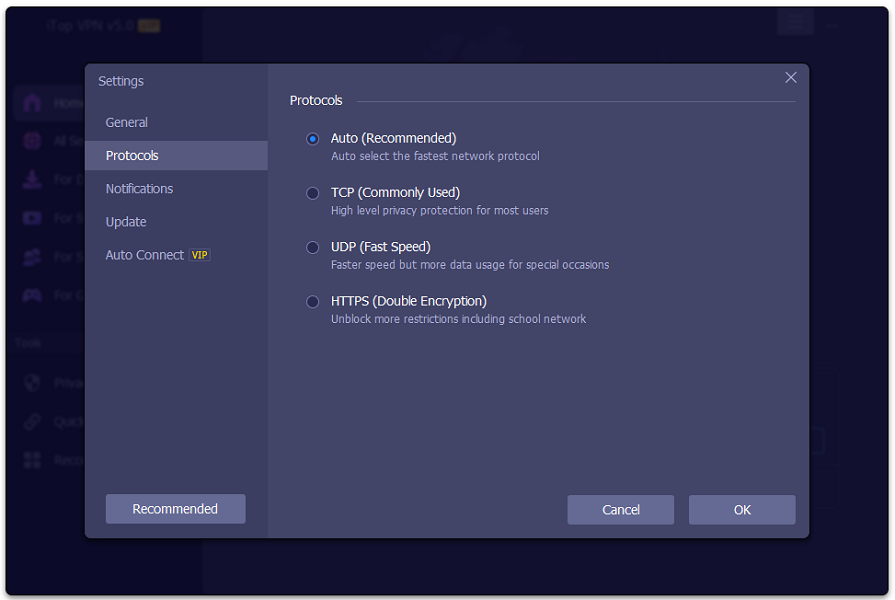
iTop VPN distinguishes itself by employing a custom protocol, setting it apart from VPNs relying on standard protocols like WireGuard and OpenVPN. The Windows application establishes a proxy connection to the VPN server, utilizing the WinDivert open-source package for traffic direction. However, the lack of detailed encryption information raises security concerns.
A notable privacy concern arises from the SSL certificate misconfiguration on the iTop VPN website, allowing certain areas, including the login page, to be accessed through an unencrypted HTTP connection.
Logging Policy
The VPN asserts a no-logging policy, emphasizing the non-recording of user activity, browsing history, bandwidth usage, or IP addresses. However, the imposition of a 700MB daily limit on the free plan suggests some level of logging to track bandwidth usage associated with device IDs.
Ambiguity persists in the privacy policy’s ‘What information we collect’ section, encompassing operating system details, device ID, IP addresses, browser information, and more. Clarity in this aspect is vital, and iTop VPN falls short in delivering it.
Windows App
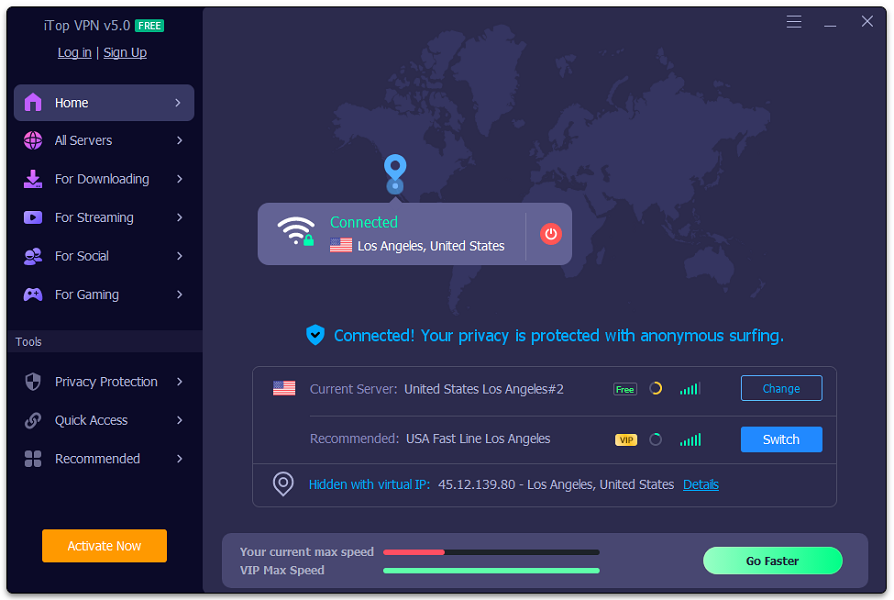
iTop VPN’s Windows application, while feature-rich, exhibits shortcomings in usability fundamentals. The absence of defaulting to the nearest server upon clicking the Connect button and the less-than-intuitive server switching process detract from user convenience. Notably, the lack of a Favorites system or Recently Used lists adds to the inconvenience, though Streaming, Social, and Gaming lists and the Quick Access pane mitigate some of these challenges. You can download the app now.
Mobile Apps (Mac, Android, iOS)
The Mac app closely mirrors its Windows counterpart, while the iOS version opts for simplicity, lacking certain features available in the former. The Android app aligns with the iOS version but introduces the beneficial feature of split tunneling.
Kill Switch and Split Tunneling
iTop VPN incorporates a kill switch to halt internet traffic in the event of an unexpected VPN connection drop. However, observed flaws in its activation in certain instances raise concerns about the reliability of this crucial feature. On a positive note, the split tunneling support performs well, affording users the flexibility to designate specific apps for VPN or regular connections.
Bonus Security Features
iTop VPN introduces bonus security features, including a Security Reinforce module that scans for weak or non-standard security settings, offering valuable suggestions for enhancement. The Browser Privacy feature adds an extra layer of privacy by clearing browsing tracks in various web browsers.
Streaming Services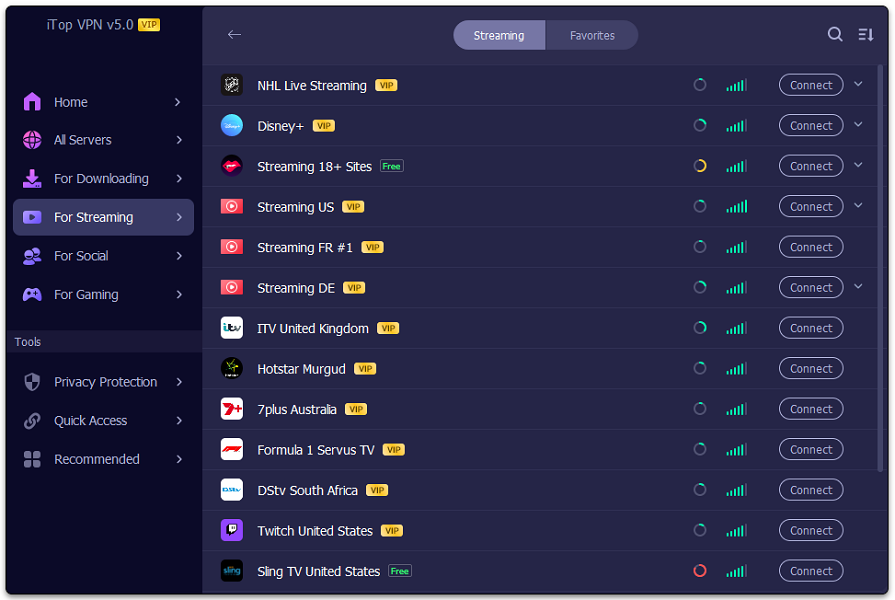
iTop VPN strategically positions itself as a solution for unblocking various streaming platforms, successfully unlocking BBC iPlayer and Disney Plus. However, challenges arise when attempting to access Amazon Prime and Netflix, placing it at a disadvantage compared to competitors with more consistent unblocking capabilities.
Performance
Performance tests reveal satisfactory download speeds in the UK, ranging from 180-190Mbps, with notable improvement in US speeds, reaching up to 400Mbps. While these results are commendable, they fall behind competitors leveraging faster protocols like WireGuard. The use of a custom protocol by iTop VPN introduces questions about the fairness of performance comparisons.
Conclusion
In conclusion, iTop VPN distinguishes itself with a commendable free plan and innovative privacy features. However, notable shortcomings in protocol transparency, unblocking capabilities, and a somewhat unreliable kill switch leave room for improvement. While the free plan may cater to basic needs, those prioritizing robust privacy should explore alternatives such as ExpressVPN, our top-rated choice in the competitive VPN landscape.